Welcome to the ultimate National ID Philippines FAQ. As the government continues its nationwide rollout of the Philippine Identification System (PhilSys), millions of Filipinos have questions regarding registration, tracking, digital IDs, and problem resolution. Whether you are applying for the first time or waiting patiently for your physical card to arrive, this comprehensive guide covers everything you need to know.
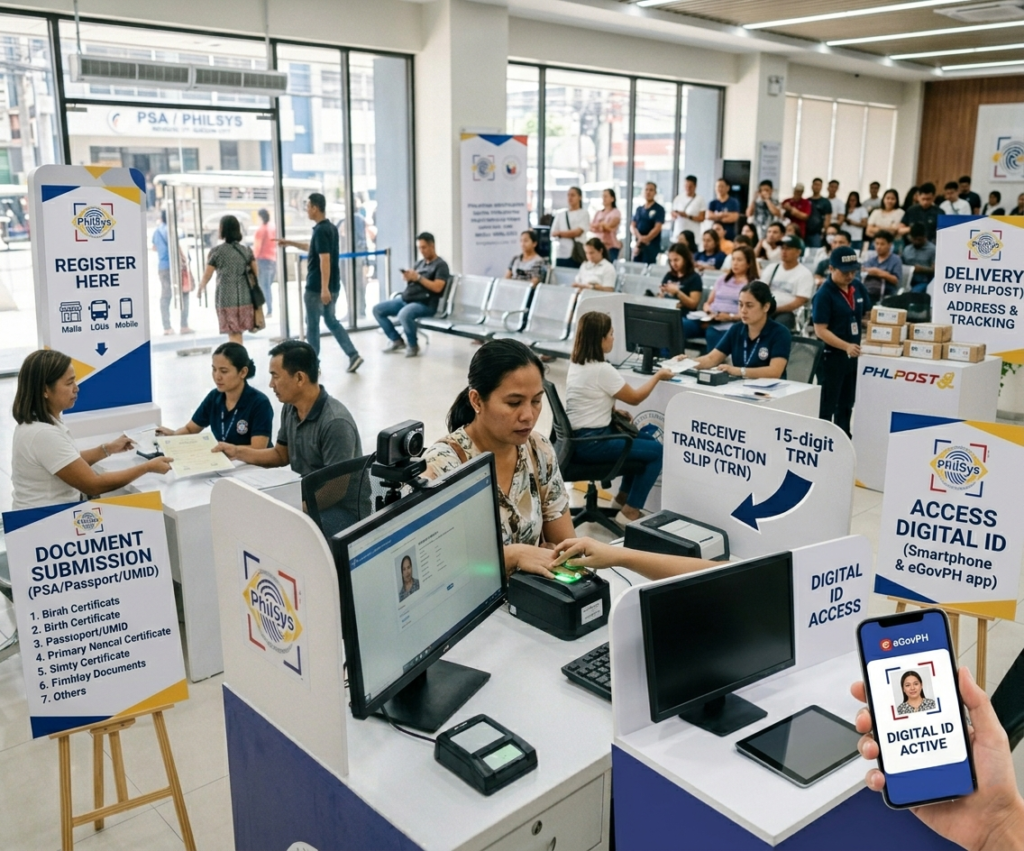
To make finding answers easier, we have categorized this National ID Philippines FAQ into general inquiries, application steps, tracking procedures, digital ID usage, and troubleshooting. If you need step-by-step instructions for a specific task, follow the helpful links to our dedicated tutorial guides.
📌 General PhilSys Inquiries
What is the Philippine National ID (PhilSys)?
The Philippine Identification System (PhilSys) is the government’s central identification platform established under Republic Act No. 11055. It aims to establish a single, unified national identification system for all citizens and resident aliens of the Republic of the Philippines. It serves as a valid proof of identity, replacing the need to present multiple valid IDs for government and private sector transactions.
Is the National ID registration free?
Yes. The initial registration and the issuance of your very first physical PhilID card are 100% free of charge. Beware of fixers, Facebook groups, or scammers asking for payment to expedite the registration process. Any such solicitation is illegal.
Who is eligible to apply for the PhilSys ID?
All Filipino citizens, including Overseas Filipino Workers (OFWs) and dual citizens, as well as resident aliens legally living in the Philippines, are eligible to apply. There is no minimum age requirement; even newborn babies can be registered, though their biometrics must be updated when they reach 5 and 15 years old.
What is a PhilSys Number (PSN)?
The PhilSys Number (PSN) is your unique, permanent, and randomly generated lifetime identification number assigned to you upon successful registration in the PhilSys. It is a 12-digit number that is exclusive to you and will never be reassigned. Your PSN is printed on both the physical PhilID card and the ePhilID.
Is the National ID mandatory for all Filipinos?
While the law strongly encourages all eligible Filipinos to register, having the PhilID is not compulsory in the sense that you will face legal penalties for not registering. However, the PhilID significantly streamlines access to government services, financial institutions, and private sector transactions, making registration highly beneficial.
What information is stored in the PhilSys?
The PhilSys registry stores your demographic data (full name, gender, date of birth, place of birth, address, and contact details) and your biometric data (front-facing photo, fingerprints of all ten fingers, and iris scan of both eyes). It also stores your PhilSys Number (PSN) and a randomly generated PhilSys Card Number (PCN) printed on your card.
📝 Application and Registration Process
What are the requirements for National ID registration?
You need to present original copies of supporting documents at the registration center. The most preferred primary document is a PSA-issued Birth Certificate accompanied by one government-issued ID (like a Passport, UMID, or Driver’s License). For a complete breakdown of accepted primary and secondary documents, read our National ID Requirements guide.
Can I apply for the National ID entirely online?
No. While you might use online portals for booking appointments or checking status, the actual registration requires your physical presence. You must visit a registration center so the authorized staff can capture your demographic data and physical biometrics (front-facing photo, fingerprints, and iris scan). Learn more in our How to Apply step-by-step guide.
Where can I register for the National ID?
Registration centers are located in Philippine Statistics Authority (PSA) offices, Local Civil Registrar (LCR) offices, selected post offices (PHLPost), local government unit (LGU) satellite registration sites, and selected malls. You can check the PSA official website for the nearest registration center in your area.
Do I need to make an appointment before going to register?
In many locations, walk-in registration is accepted. However, in high-traffic areas, an online appointment may be available or required to reduce waiting time. It is always best to check the official PhilSys or PSA website or call your local registration center in advance to confirm whether appointments are needed.
Can minors or children be registered for the PhilSys ID?
Yes. Even newborns can be registered. For children below 7 years old, a parent or legal guardian must be present and provide written consent. The child’s biometrics (fingerprints and iris scan) will be captured, but because these change significantly during growth, the child must return for biometric updates at ages 5 and 15.
Can Overseas Filipino Workers (OFWs) register for the National ID?
Yes. OFWs can register through select Philippine Overseas Labor Offices (POLO), Philippine Overseas Employment Administration (POEA) offices abroad, and Philippine Consulates or Embassies in select countries. Check the DFA or PSA website for the list of overseas registration sites.
🚚 Tracking and Delivery
How do I track my National ID delivery status?
After your biometric capture, you will receive a transaction slip with a 15-digit Transaction Reference Number (TRN). You can use this TRN to check your printing and delivery status via the official PHLPost tracking website. For a detailed walkthrough on decoding tracking statuses, visit our Track National ID guide.
How long does it take for the National ID to be delivered?
Delivery times vary significantly depending on your geographic location and the current printing backlog at the Bangko Sentral ng Pilipinas (BSP) facilities. It can take anywhere from a few months to over a year. While waiting, we highly recommend generating your Digital National ID to use immediately.
What do I do if my National ID was not delivered to my address?
If your card was marked as undeliverable or returned to the post office, you should visit your nearest PHLPost branch with your transaction slip and a valid ID to claim it. If it has been returned to the sender (PSA/BSP), you may need to contact the PhilSys hotline at 1388 for instructions on re-delivery or pickup arrangements.
My PHLPost tracking shows “Delivered” but I did not receive the card. What should I do?
This is a known concern for some registrants. First, check with other household members or your barangay hall, as the card may have been received by a family member or neighbor. If truly unaccounted for, file a report with your local PHLPost branch and contact the PhilSys hotline at 1388 with your TRN ready.
📲 Digital ID and ePhilID
📄 What is the ePhilID?
The ePhilID is the printed digital version of your PhilID. You can claim it at registration centers while waiting for the physical PVC card. It contains your photo, QR code, and demographic data on a piece of paper.
📱 What is the Digital National ID?
The Digital National ID is accessed directly via your smartphone using the eGovPH app. Like the printed ePhilID, it holds the exact same validity as the physical card under Philippine law and can be shown from your screen.
Are banks and establishments required to accept the ePhilID or Digital ID?
Yes. Under the law, all government agencies, private sectors, and financial institutions are mandated to accept both the printed ePhilID and the smartphone Digital National ID as sufficient and valid proof of identity. Unjustified refusal to accept these formats is subject to heavy penalties.
How do I get my Digital National ID via the eGovPH app?
Download the eGovPH app from the Google Play Store or Apple App Store. Create an account using the mobile number or email you provided during registration. Once logged in, navigate to the PhilSys section and your Digital National ID will be displayed, provided your registration has been fully processed by the PSA.
Can I show my Digital National ID on my phone instead of carrying the physical card?
Yes. The Digital National ID displayed through the official eGovPH app is legally recognized under Philippine law. You may present it on your smartphone screen in lieu of the physical PVC card. It carries the same legal weight and must be accepted by government agencies and private institutions.
🔧 Problem Solving and Corrections
What should I do if my National ID is lost or stolen?
If you lose your physical card, you must immediately secure an Affidavit of Loss from a notary public. You will then need to present this affidavit at a PhilSys registration center to formally request a replacement. Please note that while the initial ID is free, replacing a lost card requires a replacement fee. Check out our Lost National ID guide for full instructions.
How do I correct misspelled names or wrong information on my National ID?
If you spot a typographical error on your physical card or digital ID, you can request a demographic data correction. You will need to visit a PhilSys registration center and bring the original supporting document (e.g., PSA Birth Certificate) that reflects the correct, legal information. See our Problems & Solutions guide for more details.
What if my photo on the National ID does not look like me?
If the photo captured during registration is blurry, distorted, or significantly inaccurate, you may raise this concern at a PSA PhilSys registration center. Bring your transaction slip and a valid supporting ID. The staff will assess whether a re-capture is warranted. Note that minor aesthetic preferences are generally not grounds for a free re-issuance.
My physical card is damaged. Can I get a replacement?
Yes. If your PhilID card is damaged to the point where it is no longer legible or scannable, you can request a replacement card at a PhilSys registration center. Bring the damaged card and supporting documents. A replacement fee applies. Meanwhile, you can continue using your Digital National ID via the eGovPH app.
Can I update my address on the National ID after I move?
Yes. You may request an update to your demographic data, including your address, at any PhilSys registration center. You will need to bring a proof of new address document (e.g., utility bill, barangay certificate) along with your original PhilID or transaction slip.
For highly specific account issues or technical problems not covered here, we advise contacting the official PhilSys hotline at 1388 or sending an email to their official support address at info@philsys.gov.ph.