Are you wondering how to check your National ID delivery status Philippines? After successfully completing your Step 2 biometric registration, the final step is simply waiting for your physical PhilSys ID (PhilID) to arrive at your doorstep. As of 2026, the Bangko Sentral ng Pilipinas (BSP) continues its card printing operations, and PHLPost remains the official courier for all PhilID deliveries nationwide. To ease your worries, you can actively track the dispatch and delivery progress using the official PHLPost tracking website.
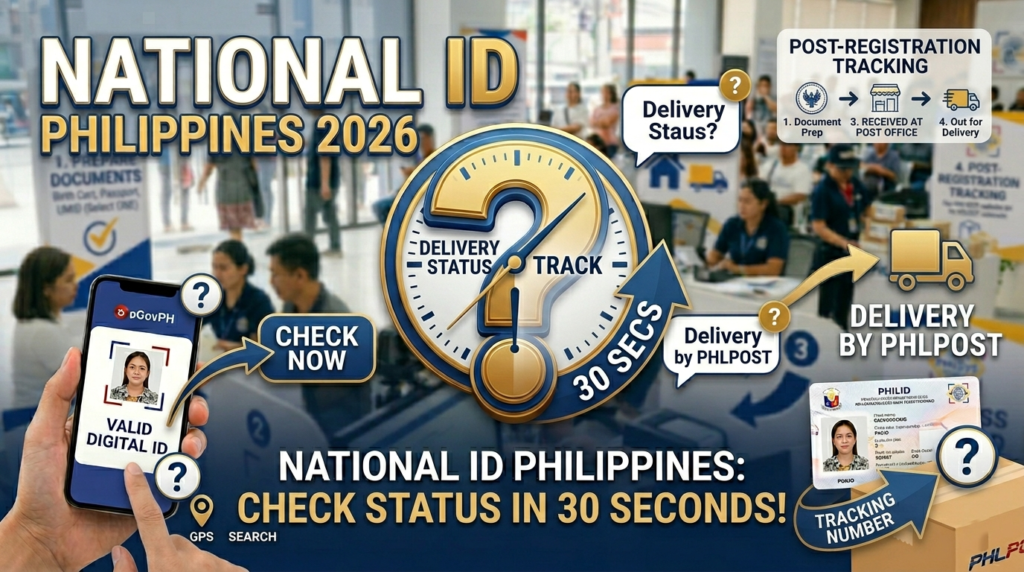
In this comprehensive 2026 guide, we will teach you exactly how to read your tracking results, what the different delivery statuses mean, what an authorization letter requires if you are not home during delivery, and how to use the eGovPH app as an immediate digital alternative while your physical card is still in production.
How to Check Your National ID Delivery Status in 2026
Tracking your physical PhilID card requires your unique Transaction Reference Number (TRN) from your registration slip. Follow these detailed steps to find out exactly where your card currently is in the delivery pipeline.
Locate Your Transaction Reference Number (TRN)
Find the number printed on the transaction slip issued to you during your Step 2 biometric capture. This slip is your primary proof of registration. Important note for 2026: Earlier batches of registrants received a 15-digit TRN, while more recent registrants may have received a longer 29-digit TRN. Use whichever number is printed on your specific slip — both formats are valid on the PHLPost tracking portal.
Open the Official PHLPost Tracking Website
Visit the official tracking.phlpost.gov.ph website on your mobile device or computer browser. Ensure you are on the official PHLPost domain. Do not use third-party tracking aggregator sites, as they may display outdated or inaccurate information for PhilSys parcels.
Enter Your TRN in the Search Field
Type or paste your TRN into the tracking number search bar. Enter the digits exactly as printed — do not add spaces, dashes, or any other characters. The field accepts only numeric input for PhilSys IDs. If you have multiple TRNs (for family members registered together), you must search each one individually.
Click “Track” and Read Your Status
Press the Track button and wait a moment for the system to return your result. The portal will display a chronological status history of your parcel. Scroll down to the most recent entry — that is your current delivery stage. See the status guide below to understand what each status message means.
Check Back Regularly
Statuses are updated at various points throughout the day as your card moves through the postal network. If your status has not changed in several days, this is normal — it typically means your card is in transit between sorting facilities. We recommend checking once every 2–3 days rather than multiple times daily.
Understanding Your PHLPost Tracking Status
The tracking portal uses specific status labels. Here is what each one means for your PhilID delivery.
🔵 Item Received / Item Accepted at Origin
Your PhilID card has been printed by the BSP and officially handed over to PHLPost. It has entered the postal network and is being processed at the origin facility. This is the first status you will see when your card leaves BSP custody.
🟡 In Transit / Arrived at Sorting Facility
Your card is physically moving through the PHLPost network, traveling from the central processing hub toward your regional distribution center. Depending on your province, this phase can last a few days to a couple of weeks.
🟠 Out for Delivery
Your PhilID card is in the hands of your local postal carrier and will be delivered to your registered address on that same day. Be available at your address or ensure a representative with a proper authorization letter is present.
🟢 Delivered
The card has been successfully delivered to your registered address and received by you or a representative. If you see this status but have not received your card, immediately check with household members and contact your local PHLPost branch.
🔴 Delivery Attempted / Undelivered
The postal carrier visited your address but was unable to complete delivery. This usually happens when no one is home and there is no representative present. The card will be held at your local PHLPost branch. You typically have a limited window (often 15 days) to claim it before it is returned to the sender.
⚪ Returned to Sender
Your card was not claimed from the local post office within the holding period and has been returned to the BSP/PSA. You will need to contact the PhilSys hotline at 1388 or email info@philsys.gov.ph to arrange re-delivery or a new pickup schedule.
⚠ Understanding “Not Found” or Blank Results
If your National ID delivery status Philippines search returns “Not Found” or shows no data, this does not mean you need to re-register. It simply means the BSP is still in the process of printing or quality-checking your card, and it has not yet been officially handed over to PHLPost for dispatch. This is extremely common in 2026 given the volume of cards being processed. Continue checking periodically and use your Digital National ID via the eGovPH app in the meantime.
Important Notes on Receiving Your PhilID Card
When the tracking status changes to “Out for Delivery,” you need to be prepared. PHLPost delivers the PhilID strictly to the physical address you registered in the PhilSys system.
📝 Preparing an Authorization Letter for Your Representative
If you cannot be home on the day of delivery, the courier cannot leave the card unattended at your door or gate. You must prepare a hand-written or typed, signed authorization letter that:
- States your full name as the registered PhilSys applicant
- Names the specific person you are authorizing to receive the card on your behalf
- Includes your TRN and the reason you cannot be present
- Bears your signature
Your representative must present this signed letter together with a photocopy of your valid ID and their own original valid government ID to the postal carrier upon delivery.
🏠 What If I No Longer Live at My Registered Address?
If you have moved since completing your PhilSys registration, your card will still be sent to the old address on file. You have two options: (1) arrange with someone at your old address to receive and hold the card for you with an authorization letter, or (2) contact the PhilSys hotline at 1388 to inquire about address update procedures before your card enters the delivery phase.
Can’t Wait? Use Your Digital National ID Now
Because millions of Filipinos are in the printing queue, delays of several months to over a year are still common in 2026. Fortunately, the government provides two fully legal alternatives so you can use your verified PhilSys identity immediately.
📄 Claim a Printed ePhilID
Visit any PhilSys registration center and present your transaction slip to request a printed ePhilID. This paper-format ID contains your name, photo, QR code, and PSN. It carries the exact same legal weight as the physical PVC card and must be accepted by all banks, government offices, and private establishments.
📱 Use the eGovPH App (Recommended)
Download the official eGovPH app from the Google Play Store or Apple App Store. Log in using the email or mobile number you provided during registration. Your Digital National ID will be available to display directly from your smartphone — no need to wait for the physical card.
Frequently Asked Questions About National ID Delivery Status
Can I check my National ID delivery status Philippines using a QR code?
No. The QR code printed on your transaction slip or ePhilID is used exclusively for identity verification purposes — it allows banks and establishments to confirm your identity via the PhilSys Check portal. It is not linked to any parcel tracking system. For delivery tracking, you must use your numeric TRN on the PHLPost tracking website.
Is PhilSys tracking different from Passport or Postal ID tracking?
Yes, they are different systems. Philippine Passport tracking shows encoding, printing, and release stages through the DFA portal. Standard PHLPost Postal IDs and international parcels use alphanumeric tracking numbers (e.g., RR123456789PH). PhilSys uses a purely numeric TRN (15 or 29 digits). Do not confuse these formats, as entering the wrong format will return no results.
Is there a PhilSys tracking login portal at tracking.philsys.gov.ph?
There is no separate PhilSys-owned tracking login portal for delivery status. The official and only tracking method is entering your TRN directly into the PHLPost tracking website at tracking.phlpost.gov.ph. No account login is required.
How long should I wait before my card shows up on PHLPost tracking?
Once the BSP has finished printing and quality-checking your card, it is batched and handed over to PHLPost. This handover process means your TRN may not appear in the PHLPost system immediately after registration. In 2026, registrants typically see a tracking result appear anywhere from 6 months to 18 months or more after their biometric capture date, depending on their registration batch.
My tracking shows “Delivered” but I have not received the card. What do I do?
First, check with all other household members — a family member may have signed for and received it on your behalf. Also check with immediate neighbors. If the card is still unaccounted for, visit your local PHLPost branch in person with your TRN and a valid ID to file a delivery discrepancy report. Simultaneously, contact PhilSys at 1388 or via their official Facebook page to raise a formal concern.
Can I pick up my PhilID directly from the post office instead of waiting for delivery?
In most cases, PHLPost will attempt doorstep delivery first. If delivery is unsuccessful and the card is held at the local branch, you can personally claim it by presenting your transaction slip and a valid government ID within the holding period (typically 15 days). Proactively requesting branch pickup before a delivery attempt is not a standard option, but you may inquire with your local PHLPost branch.
What to Do If You Have Delivery Concerns
If you have been waiting an unusually long time or if PHLPost attempted delivery but you missed it and the item was returned to sender, coordinate directly with the relevant authorities. You can reach PhilSys via:
- Hotline: 1388 (available on weekdays during office hours)
- Email: info@philsys.gov.ph
- Official Facebook Page: Philippine Statistics Authority (PSA) – PhilSys
For more troubleshooting guides, read our complete article on National ID Problems and Solutions, or learn how to properly download and use your ePhilID today.