Waiting for your physical PhilSys ID to arrive? You can easily track National ID Philippines delivery statuses using the official courier’s online system. To check your status in just 30 seconds, all you need is the 29-digit Transaction Reference Number (TRN) found on your registration slip. If your status says “not found,” do not panic—it usually just means the ID is still being processed at the printing facility.
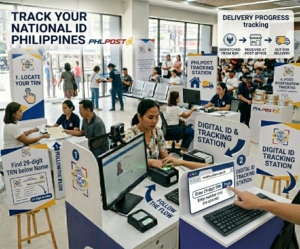
In this comprehensive guide, we will walk you through exactly how to check your ID online, what to do if you lose your transaction slip, and how to access your digital ID instantly while you wait for the physical PVC card to be delivered by the Philippine Postal Corporation (PHLPost).
Steps to Track Your National ID via PHLPost
If you are wondering exactly how to track National ID cards, the process is straightforward. Follow these exact steps to view your current dispatch and delivery status.
Locate Your TRN
Find the 29-digit Transaction Reference Number (TRN) printed right below your name on the transaction slip given to you after completing your Step 2 biometric registration.
Visit PHLPost Tracking Website
Go to the official PHLPost Tracking Page using your smartphone or computer web browser. This is the only official system to track National ID Philippines PHLPost deliveries.
Enter Your Tracking Number
Type your full 29-digit TRN into the search bar. Make sure you do not include any spaces or dashes when entering the number.
Click Track
Hit the “Track” button to view your current delivery status. It will show if the card has been received at your local post office, if it is in transit, or if it is currently out for delivery.
⚠ Why does my status say “Not Found”?
If the tracking result returns a “Not Found” error, this does not mean your ID is lost or your application was rejected. It simply means that your ID is still being verified, is queued for printing by the Bangko Sentral ng Pilipinas (BSP), or has not yet been dispatched to PHLPost for courier delivery. Check again in a few weeks.
Can I Track My National ID by Name or QR Code?
A massive number of applicants search online for “National ID tracking by name” or “National ID tracking QR code.” Here is the current government policy regarding these methods:
🔍 Tracking by Name
For strict security and data privacy reasons, you cannot track your National ID using only your name online. You must use the unique 29-digit TRN provided on your slip.
📱 Tracking via QR Code
There is currently no official feature to scan a QR code just to track delivery. The QR code on your transaction slip or ePhilID is used strictly to authenticate your identity via PhilSys Check.
Faster Alternatives: ePhilID and Digital ID
Many users ask, “How can I check my National ID online to see if my data is approved before delivery?” The easiest way is to utilize the eGovPH National ID tracking integration. Because printing the physical PVC cards takes time, you don’t have to wait months to use your ID.
📲 Access Your Digital ID (eGovPH App)
The absolute fastest way to get your ID is to download the official eGovPH mobile app. Once you verify your account, if your demographic data has been cleared, your Digital National ID is generated instantly on your smartphone screen. It has the exact same legal validity as the physical card.
📄 Claim Your Printed ePhilID
As a faster alternative while waiting for the physical card, you can inquire about claiming your ePhilID (the paper version) at your nearest registration center. Check out our full guide on the ePhilID download process for instructions.
Important Delivery Information to Remember
Currently, you cannot Track national id philippines passport style. Unlike the DFA passport system which shows multiple stages (Encoding, Printing, Released), the PhilSys system primarily shows the delivery phase via PHLPost. When you track National ID Philippines, keep these rules in mind:
- Free Delivery: The physical PhilID is delivered absolutely FREE of charge directly to the address you provided during your Step 1 registration. Do not pay any delivery fees to couriers.
- What if I moved? If you changed your home address, you must contact your local post office and provide a signed authorization letter if someone else will receive the ID on your behalf.
📞 Official Contact Concerns
If you have been waiting over a year, or if you lost your transaction slip and desperately need your TRN recovered to track national id philippines online, you must contact PhilSys directly. Reach out via email at info@philsys.gov.ph or dial the official PhilSys hotline at 1388.
For more essential guides, feel free to read up on the complete National ID requirements or learn exactly what to do if you need to replace a lost card.