- How to track your National ID online
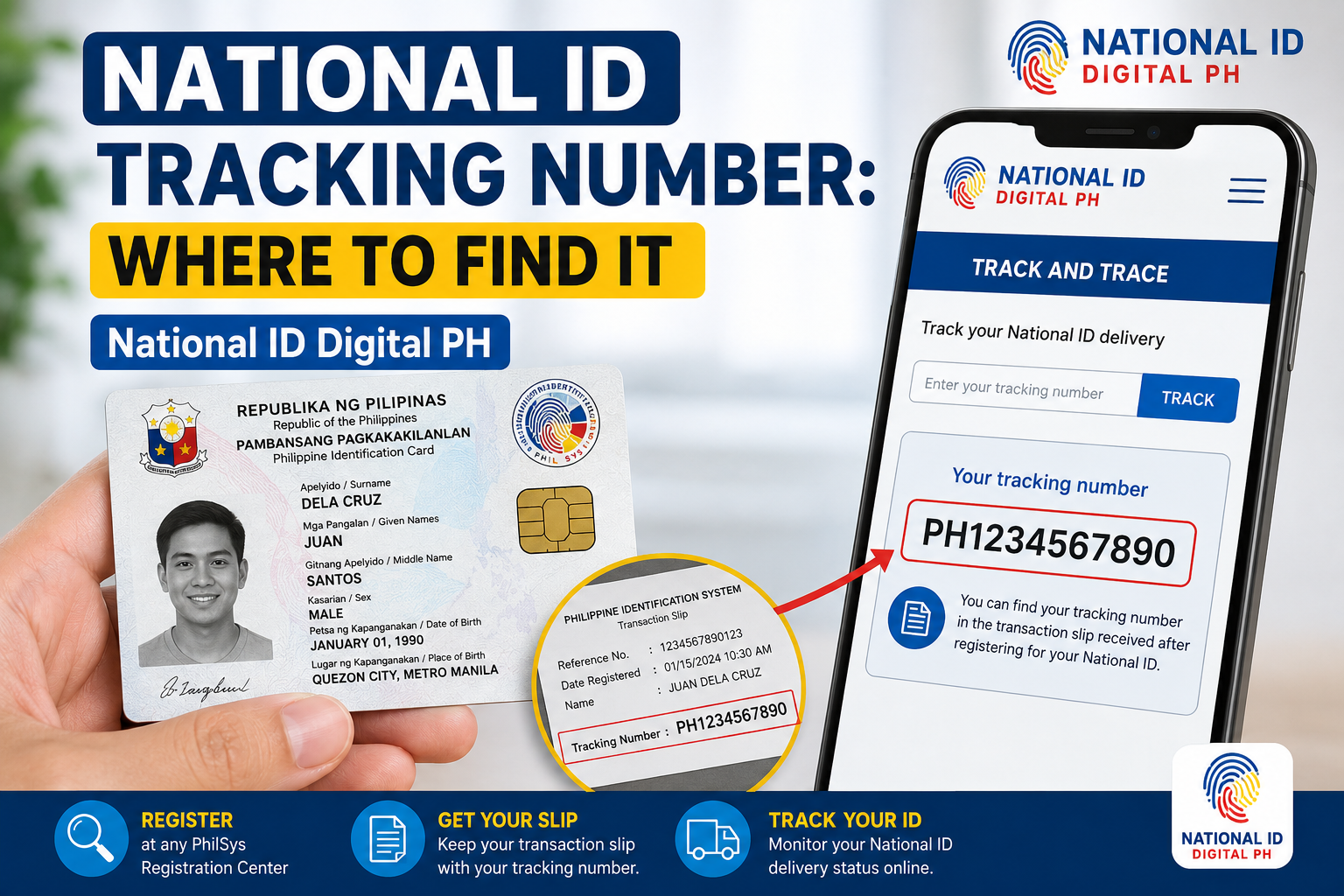
- Where can you find your National ID tracking number?
- What does your National ID tracking result mean?
- What if National ID tracking says “Not Found” or stops updating?
- How can you get help if you lost your transaction slip?
- What if the tracker says “Delivered” but you have not received the card?
- How long will your National ID take to arrive?
- Can you use a digital or paper National ID while waiting?
- Who should you contact: PSA or PHLPost?
- National ID tracking: frequently asked questions
- Official sources used in this guide
To track your Philippine National ID, open the official PHLPost tracking website and enter the 29-digit Transaction Reference Number (TRN) from your National ID transaction slip. Select “Track” and read the latest available event and date. If the result is “Not Found,” recheck the number and contact PSA for assistance.
Check your physical card’s delivery
Have your transaction slip ready. The official tracker shows recorded postal updates; it does not provide a guaranteed arrival date or a live GPS location.
Open the official PHLPost trackerThis link opens the government tracking service. Do not post your TRN, ID image, or birth date in this page’s comments.
How to track your National ID online
Use PHLPost’s tracking-number field for your National ID delivery inquiry. Both PHLPost’s PhilID instructions and PSA’s March 2025 guidance identify the TRN on your transaction slip as the reference to use.
- Get your transaction slip. Find the 29-digit TRN issued during National ID registration.
- Open the official website. Type tracking.phlpost.gov.ph into your browser.
- Enter the reference. Use the field labeled “Enter Tracking Number(s).” Copy all digits carefully and remove accidental spaces.
- Select “Track.” Wait for the service’s response.
- Read the last event and date. Where item history is available, check the event location and sequence before deciding what to do next.
The tracker currently displays fields for “Tracking Number,” “Status (Last Event),” and “Event Date.” Its separate “Postal ID” search is for a different document; use the tracking-number section for your National ID.
Where can you find your National ID tracking number?
Your National ID tracking reference is the TRN on the transaction slip provided during registration. Keep the original slip and a private, readable backup so you can copy the number accurately.
The TRN is a registration reference. Your PhilSys Number (PSN), card number (PCN), phone number, and name serve different purposes; do not substitute them for the TRN in this tracking process. If you receive another reference from a verified official channel, follow its instructions rather than assuming every text message is genuine.
You do not need to wait for an SMS with a separate parcel number before trying the published TRN method. A missing message alone does not establish whether your card has been dispatched.
What does your National ID tracking result mean?
Read a tracking result as the latest recorded postal event. The explanations below are plain-language interpretations, not an official PHLPost status-code glossary. Exact wording can vary, and an event does not guarantee a delivery time.
| Result or wording | What you can conclude | Useful next step |
|---|---|---|
| Not Found / no matching result | The search has not returned a matching tracking record. It does not establish a printing stage or rejection. | Recheck the full TRN, then ask PSA for help if the issue remains. |
| In Transit | The recorded event indicates movement through the postal network. | Check the event date and any location/history details. |
| Out for delivery, if shown | The wording indicates a delivery run or attempt, rather than confirmation of receipt. | Remain reachable and follow official delivery instructions. Do not assume a guaranteed same-day arrival. |
| Delivered | The system has recorded a delivery event. | If you did not receive the card, request clarification from PHLPost. |
| Held, unsuccessful attempt, or returned, if shown | The wording suggests a delivery exception; the reason needs checking. | Ask the post office to confirm the card’s location and any collection or redelivery requirements. |
What if National ID tracking says “Not Found” or stops updating?
A missing result does not tell you exactly where your card is. PHLPost’s published advice for a “Not Found” result is to contact the PhilSys hotline or its official messaging and email channels.
- Check the input: compare every digit with the original slip and make sure the complete TRN was entered.
- Check the website: use the official tracking-number field, not a third-party form or Postal ID search.
- Record what happened: note the exact message, last event date if any, and when you checked.
- Choose the right support channel: ask PSA about unresolved record/status concerns; ask PHLPost about an existing postal event or delivery exception.
If the site itself fails to load, try an updated browser or another connection. Treat these as basic access checks, not proof of a nationwide outage. Avoid assuming that no result means “still printing” or that an unchanged event means the card is lost.
If you have worked through the checks above and the tracker still shows no result or has not updated, see our separate guide: National ID Tracking Not Working? Here’s What to Check. It covers why tracking shows no result, what to check when the status has not updated, and when to follow up with PSA or PHLPost.
How can you get help if you lost your transaction slip?
Ask PSA or a National ID registration center about TRN retrieval. PSA has published a retrieval process, and its May 2026 service report confirms that staff assisted registrants with TRN retrieval.
Be ready to provide your registered name, date of birth, sex, and contact details through a verified official channel. Confirm the current requirements and whether an office visit is needed. Do not create another National ID registration just to replace a missing slip.
Assistance with finding a record is different from a public name-only tracker. Do not publish identity details in comments or give them to someone claiming to be a “tracking agent.”
What if the tracker says “Delivered” but you have not received the card?
Ask PHLPost to check the delivery record rather than assuming that the status proves you personally received the ID.
First, check whether a household member received it. Then contact the relevant post office or PHLPost customer service with the reference, delivery-event date, and a description of the problem. Ask them to confirm the receiving details and the next step.
If the event says held or returned, confirm where the card actually is before travelling. Ask what identification or authorization is required for collection; do not assume every branch or representative follows the same process. If the delivery issue remains unresolved, raise it with PSA as well.
How long will your National ID take to arrive?
This guide cannot determine an arrival date from your registration date or region alone. Card preparation and postal delivery are separate stages, and a last-event date is not a personalized delivery promise.
Ask the responsible office about your specific record when tracking is unclear. Do not apply an old national estimate or a commercial parcel delivery schedule as a guaranteed PhilID deadline.
Can you use a digital or paper National ID while waiting?
You may be able to access your Digital National ID at national-id.gov.ph or ask PSA about the official paper format. PSA explains that these formats have the same functionality and validity as the card, subject to authentication.
Obtaining a digital copy, asking about paper-format availability, and tracking physical-card delivery are different tasks. A successful digital download does not locate your parcel, and a PHLPost result does not by itself confirm whether an ePhilID is ready for issuance.
Who should you contact: PSA or PHLPost?
Use PSA for National ID record and registration-reference concerns. Use PHLPost for postal history and delivery questions. Start with the office responsible for the event or problem you can actually see.
| Organization | Contact | Best starting point for |
|---|---|---|
| PSA / PhilSys | 1388 (fees may apply); info@philsys.gov.ph; PSAPhilSysOfficial | TRN help, unclear National ID records, and unresolved tracking concerns |
| PHLPost | (02) 8288 7678; phlpostcares@phlpost.gov.ph | Recorded delivery events, unsuccessful attempts, and postal inquiries |
Contacts checked against PSA’s public advisory, PHLPost’s PhilID notice, and the official tracker. Confirm office availability before visiting.
Watch for fake delivery messages. PHLPost warns against suspicious messages using its name. Open the official tracker yourself instead of following an unexpected payment or address-update link. Never share an OTP or account password to “release” your ID.
National ID tracking: frequently asked questions
Can I track my National ID using only my name?
The published PHLPost process uses the TRN, not a name-only search. If you lost the slip, ask PSA for retrieval assistance instead of searching for a third-party name-based tracker.
Is the TRN accepted on the PHLPost tracking website?
Yes. PHLPost’s PhilID instructions and PSA guidance direct registrants to use the 29-digit reference on their transaction slip. Do not assume that every person must receive a separate SMS parcel number first.
Does “Not Found” mean my registration was rejected?
No such conclusion follows from that tracking response alone. Check the reference and ask PSA to clarify the record. A parcel-search result is not a registration decision.
Can scanning the ID’s QR code track its delivery?
No. PSA describes the QR-code check as identity authentication. It does not report the card’s postal journey; use the delivery tracker for that task.
Does eGovPH show where my physical card is?
For delivery updates, use PHLPost with your TRN. Viewing a digital ID gives you access to that ID format; it does not establish the physical card’s postal location. Ask PSA about unresolved record questions.
How often should I check the tracker?
Recheck when you need an update or after receiving official instructions. Repeated searches do not speed up printing or delivery. If a result is unclear, a specific inquiry is more useful than guessing from it.
Official sources used in this guide
- PHLPost: PhilID tracking instructions — 12 July 2022.
- PSA: National ID tracking and support advisory — 14 May 2024.
- PSA Central Visayas: TRN tracking and alternative ID formats — 18 March 2025.
- PSA: lost TRN retrieval guidance — 16 August 2023.
- PSA Biliran: TRN retrieval and National ID services — 11 May 2026.
- PHLPost: current tracker fields and customer-service contacts.
Sources reviewed: . This guide explains published procedures; only PSA and PHLPost can confirm an individual’s record or delivery.