If you are wondering how to apply for National ID Philippines, you are in the right place. The Philippine Identification System (PhilSys) is designed to provide every citizen and resident alien with a valid proof of identity. In 2026, the process has been heavily streamlined, meaning you no longer need an online appointment to get your ID. You can easily complete the Draft Registration Process – Philippine Identification System by visiting a nearby center.
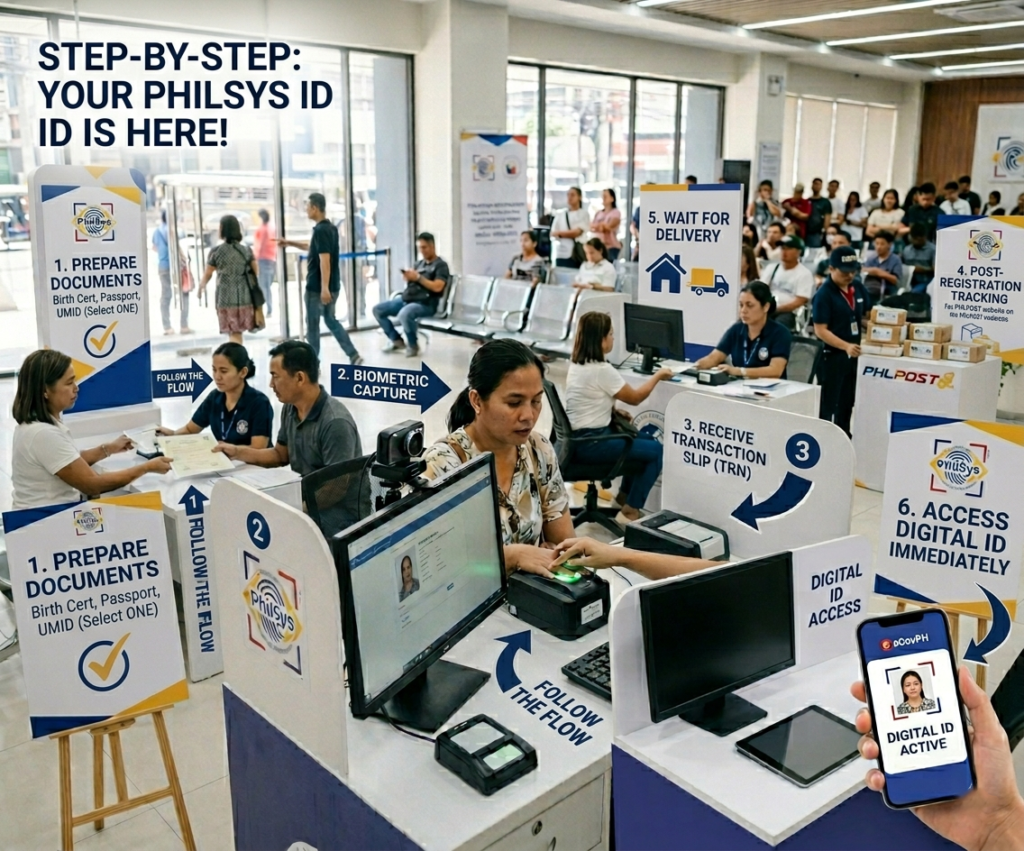
Securing your Philippine National ID (PhilID) is essential for faster government and private transactions, including opening bank accounts and claiming benefits. Below, we break down exactly how to register for a Philippine National ID, what documents you must present, and how you can access your digital ID immediately after registration.
📍 Before You Begin: Key PhilSys Facts
To successfully apply for National ID Philippines, remember that the entire process is 100% FREE. The PSA does not charge any registration fees. Additionally, walk-ins are fully accepted at malls, LGUs, and PSA offices—meaning you do not need a scheduled appointment to proceed.
Steps to Apply for a National ID (PhilSys) in 2026
The government has made it incredibly simple to get your ID. Just follow these exact Steps to Register to the National ID to ensure your application goes smoothly without any delays.
Register at a Center
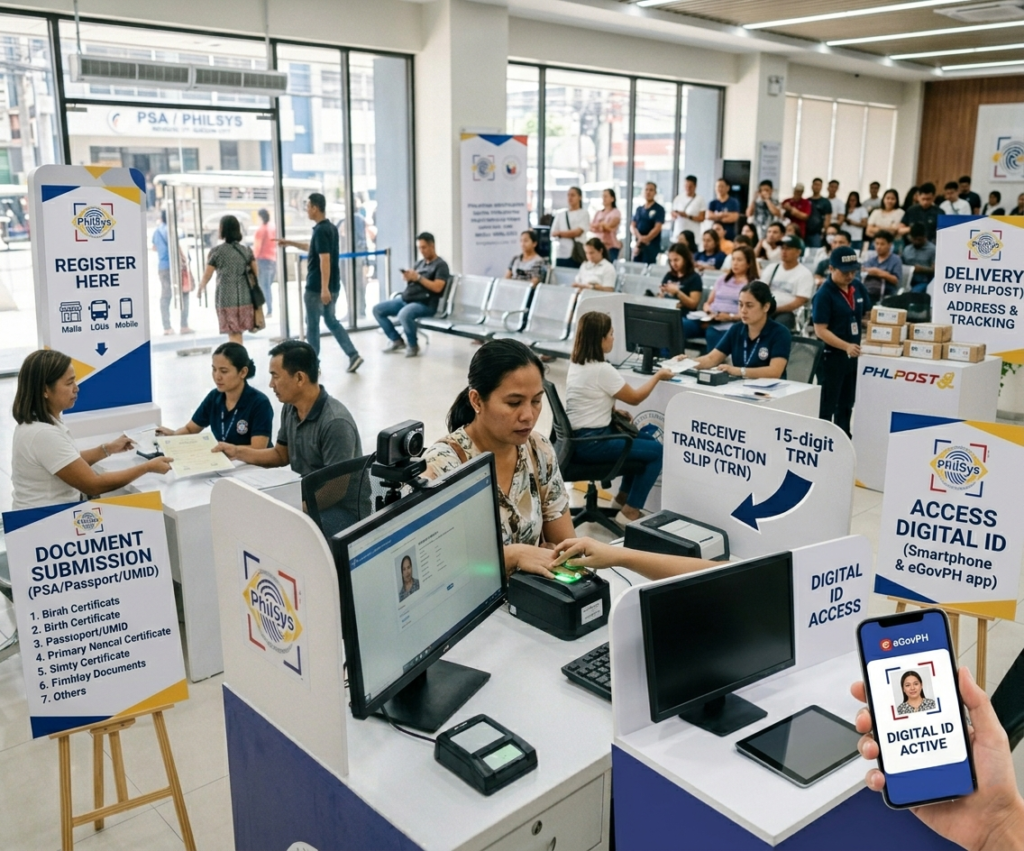
Proceed to any PSA-designated registration center. These are widely available in shopping malls (like SM and Robinsons), Local Government Units (LGUs), or specialized mobile registration centers rolling out in local barangays.
Submit Your Primary Documents
Once at the center, present your documents to the Registration Kit Operator (RKO). You must bring at least one primary identification document. The most commonly accepted are a PSA-issued Birth Certificate, a valid Philippine Passport, or a UMID card. Need a full list? Check the official National ID requirements here.
Biometric Capture
After your documents are verified, the staff will conduct a biometric capture. This includes taking a front-facing photograph, a full set of fingerprints, and an iris scan. Ensure your face is clearly visible and remove any colored contact lenses or heavy makeup.
Receive Your Tracking Number
Once the capture is complete, you will receive a transaction slip. This slip contains your 15-digit Transaction Reference Number (TRN). You must keep this slip safe, as you will use this number to check your ID delivery status later.
Claiming Your Physical Card
Your physical PhilID card will be printed by the Bangko Sentral ng Pilipinas (BSP) and delivered directly to your registered address by PHLPost. If delivery fails, you may receive a notification to pick it up at a designated post office.
Access Your Digital ID Immediately
You do not have to wait months for the physical card! You can access your Digital National ID via the eGovPH app or the official website using your smartphone as soon as your data is verified in the system.
Physical PhilID vs Digital National ID
When you successfully apply for National ID Philippines, you are entitled to both a physical card and a digital version. Here is how they compare in everyday use:
💳 Physical PhilID Card
This is the standard PVC card delivered to your home. It features advanced security features, a QR code, and your physical biometrics. It serves as your primary offline identification document.
📲 Digital National ID (eGovPH)
Accessible via your smartphone, the Digital ID can be generated instantly once your data is synced. It holds the exact same legal validity as the physical card for transactions under Philippine law.
Frequently Asked Questions (People Also Ask)
Many Filipinos have specific concerns regarding the application process. Here are the answers to the most commonly asked questions regarding how to apply for National ID Philippines.
✈️ How to get National ID Philippines for OFW?
Overseas Filipino Workers (OFWs) can register through designated Philippine Embassies or Consulates abroad. The Department of Foreign Affairs (DFA) and PSA are continuously rolling out registration kits to international posts. Check your host country’s embassy website for scheduling announcements.
💻 Can I apply my ID card online?
No, you cannot complete the entire process online. While the initial demographic data collection was briefly done online in the past, the PSA now requires all applicants to visit a registration center in person. This is because a high-security Biometric Capture (photo, fingerprints, iris scan) is mandatory and cannot be done through a web browser.
The initial registration and issuance of the Philippine National ID is completely FREE OF CHARGE for all Filipinos and resident aliens. Do not pay any fixers or scammers offering to expedite your ID.
What to Do After You Apply
Once you finish the process to apply for National ID Philippines, the waiting game begins. Keep your transaction slip secure. You can proactively track your National ID delivery to see if your card is already dispatched to PHLPost.
For official updates, you can always refer to the PhilSys Official Website. Securing your PhilSys ID is a massive step towards your digital identity—make sure you register today!