- Table of Contents
- Do Philippine National IDs Expire? (2026 Rules)
- When is a National ID Renewal Required?
- How to Renew National ID in the Philippines (Step-by-Step)
- Required Documents for a National ID Renewal Application
- What Happens If You Have an Expired ID or Damaged Card?
- Using Digital Tools for Tracking and Verification
- Frequently Asked Questions (FAQ)
Processing your national id renewal in the Philippines is a crucial step if your card is expiring, damaged, or requires demographic corrections. The Philippine Identification System (PhilSys) National ID was designed to be a lifelong identity card for Filipino citizens, but specific scenarios—such as childhood growth, physical wear and tear, or foreign residency status—require cardholders to undergo a formal renewal process. Understanding the guidelines and updates for 2026 will help you navigate this requirement without unnecessary stress or processing delays.
Whether you need to renew national id details because you recently got married, are dealing with a physically damaged card, or need to replace a lost copy, the steps are highly structured. Using an expired id or one with outdated biometric data can result in failed transaction verifications at banks, digital wallets, and government offices. In this ultimate guide, we walk you through the entire national id renewal workflow, required documentation, and tips to ensure your PhilSys record remains fully active.
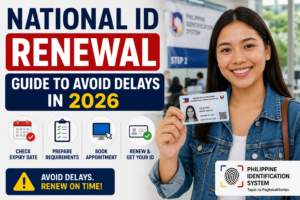
National ID Renewal Guide to Avoid Delays in 2026
Table of Contents
- Do Philippine National IDs Expire? (2026 Rules)
- When is a National ID Renewal Required?
- How to Renew National ID in the Philippines (Step-by-Step)
- Required Documents for a National ID Renewal Application
- What Happens If You Have an Expired ID or Damaged Card?
- Using Digital Tools for Tracking and Verification
- Frequently Asked Questions (FAQ)
Do Philippine National IDs Expire? (2026 Rules)
To understand the necessity of a national id renewal, you first need to check the validity rules established by the Philippine Statistics Authority (PSA) under Republic Act No. 11055. The expiration timeline of a PhilSys card depends entirely on the citizenship status of the cardholder and the age at which they first registered:
- Filipino Citizens (Adults): For citizens who registered at age 18 or older, the physical PhilSys card is valid for 30 years. This long validity period minimizes the frequency of renewal cycles. However, demographic updates (such as name changes or correcting typos) will still require card replacement and database updates.
- Resident Aliens (Foreign Nationals): If you are a foreign national residing in the Philippines, your card is valid for only one year. Resident aliens must initiate a national id renewal annually to keep their registration active. Presenting an expired id at banks or immigration counters can lead to frozen accounts or transaction rejection.
- Minors and Young Children: Children who register for PhilSys must undergo biometric updates at specific milestones. Biometric features like fingerprints, iris scans, and facial structures change rapidly as a child grows. Consequently, mandatory biometric recapture and national id renewal are required when the registered minor turns 5 years old, and again when they reach 18 years old.
If you fall into any of these categories, knowing when and how to renew national id details ensures you do not face sudden issues when using your card for daily transactions.
When is a National ID Renewal Required?
A physical card replacement or biometric recapture is triggered by several situations. You should prepare to process your national id renewal if you experience any of the following circumstances:
- Biometric Recapture at Age 18: Any citizen who registered as a minor must undergo a complete biometric update upon reaching adulthood. This is necessary because childhood biometric records may not match adult fingerprints or iris scans, which can cause verification errors at automated terminals.
- Physical Damage to the Card: Polycarbonate cards can wear out, scratch, or crack over time. If the security holograms fade or the physical QR code on the back becomes unreadable, the card is treated as a damaged or practically expired id. In this case, a physical card replacement is necessary.
- Lost or Stolen PhilSys Card: If your card is lost or stolen, you must apply for a renewal to obtain a new physical card with the same PhilSys Card Number (PCN) but updated security credentials.
- Demographic Corrections and Updates: Correcting typo errors in your name, updating your home address, or executing a legal name change due to marriage (switching marital status from single to married) requires database corrections and card renewal. You must submit physical proof of these changes at a registry center.
- Annual Alien Renewal: As mentioned, foreign residents must submit their national id renewal application every 12 months, synchronized with their ACR I-Card validity.
How to Renew National ID in the Philippines (Step-by-Step)
While the PSA is continuously developing online features, a full national id renewal that involves biometric recapture or document verification must be completed in person. This ensures the security of the PhilSys database and prevents identity theft. Follow these steps to complete the process smoothly:
Step 1: Check Your Registration Status
Before heading to a center, verify your database record. You can utilize official national id tools online to check if your record is active, clean, or requires immediate updating. This prevents a wasted trip if your data has not yet synced to the central servers.
Step 2: Gather Your Supporting Documents
Ensure you bring the appropriate documents for your specific renewal type. If you are changing your marital status or correcting a name, you will need birth certificates or marriage contracts. Refer to the comprehensive checklist of national id requirements to make sure you have everything ready before your appointment.
Step 3: Visit a PhilSys Registration Center
Locate a nearby PhilSys registration center or PSA office. Many centers are conveniently located inside major shopping malls (like SM Malls and Robinsons Malls) or municipal halls. While some centers support walk-ins, it is highly recommended to schedule an appointment online if the system is open for bookings in your region.
Step 4: Submit Your Application and Undergo Biometrics
Present your documents to the attending PhilSys officer. If you are replacing a damaged card, hand over the physical card. If you are processing a biometric recapture (due to turning 18 or having mismatched scans), you will step into the biometric booth to scan your fingerprints, record your iris, and take a new high-resolution photo.
Step 5: Secure Your Transaction Slip
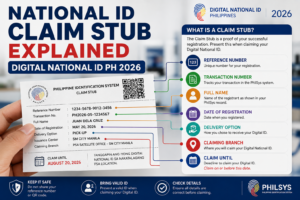
After completing the process, the officer will hand you a transaction slip. Keep this slip safe as it contains your transaction tracking number. You will need this number to check your status and see when your updated card is ready for collection or delivery.
Required Documents for a National ID Renewal Application
To avoid delays during your visit, you must present valid supporting documents. The table below outlines the primary documents required for different national id renewal scenarios:
| Renewal Reason | Primary Documents Required | Secondary Documents / Proof |
|---|---|---|
| Mandatory Adult Update (Age 18) | Original PhilSys Card or ePhilID | PSA Birth Certificate or valid Passport |
| Demographic Correction (Name/Typos) | Original PhilSys Card or ePhilID | PSA Birth Certificate with corrected entries |
| Change of Marital Status | Original PhilSys Card (showing single status) | PSA Marriage Contract or judicial decree of annulment |
| Damaged or Unreadable Card | Physical damaged PhilSys Card | Any government-issued secondary ID for identity verification |
| Lost or Stolen Card | Notarized Affidavit of Loss | PSA Birth Certificate or two secondary valid IDs |
| Resident Alien Annual Renewal | Expired/Expiring PhilSys Card | Valid Passport and active ACR I-Card |
For a detailed breakdown of secondary IDs accepted by the registration officers, check out the official list of national id requirements. Bringing at least two alternative IDs is highly recommended to prevent application delays.
What Happens If You Have an Expired ID or Damaged Card?
Using an expired id or a card with damaged features can cause significant inconveniences in your daily transactions. Because the PhilSys system is built around digital verification, a physical card is only as good as its digital record and QR code readability.
If you present a damaged or expired card at a bank, the teller will scan the QR code to verify your profile on the secure online server. If the QR code is scratched or the database record has expired, the scan will fail, and the bank will reject your transaction. Similarly, mobile wallets like GCash and Maya rely on automated OCR and facial verification; a blurry photo or outdated biometric record on your card will cause automated identity verification to fail.
To prevent these issues, prioritize your national id renewal as soon as your card reaches its validity limit or shows signs of wear. If you are waiting for a physical replacement card to print, you can download a digital version or check if your record is active by visiting the official National ID portal.
Using Digital Tools for Tracking and Verification
One of the best updates to the PhilSys program is the integration of digital tools. You no longer have to wait blindly for your physical card to be printed and delivered to your home address. The government has provided official web portals and apps that allow you to manage your record digitally.
If you have already submitted your application to renew national id details, you can monitor the status of your card delivery. Simply head over to our tracking portal guide to track your national id in the Philippines. This online tracker will tell you whether your card is currently in queue, printing at the BSP, or dispatched to PHLPost for door-to-door delivery.
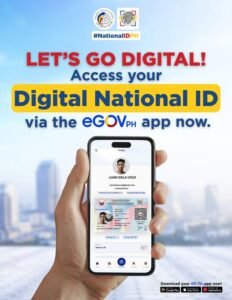
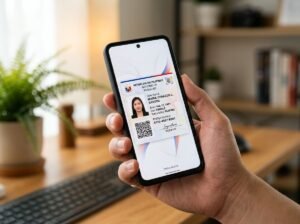
Additionally, you can use the official eGovPH mobile app to download a secure, digital copy of your updated PhilSys ID. This digital card features a dynamic QR code that carries the exact same legal weight as the physical card, allowing you to perform transactions while your physical card is in transit.
Frequently Asked Questions (FAQ)
Is there a fee for national id renewal in the Philippines?
For Filipino citizens, the first national id renewal due to mandatory biometric updates (such as turning 5 or 18) or correcting demographic typos is completely free of charge. However, if you are renewing your card because it was lost, stolen, or damaged due to negligence, you will need to pay a nominal processing fee to cover the printing cost of the replacement polycarbonate card.
Can I renew my national id online?
No, you cannot complete your national id renewal online if it requires biometric recapture (fingerprints, iris, and photo) or verification of legal documents (like birth or marriage certificates). You must visit a physical registry center to complete these updates securely. However, you can use online portals to check your registration status and schedule your center appointment.
How do I know if my National ID is expired?
For Filipino citizens, your National ID card is valid for 30 years from the date of issuance, unless you registered as a minor. For resident aliens, the validity is strictly one year, and the expiration date is clearly printed on the front of the card. If you are unsure, you can verify your status online by scanning the QR code on your card using the official verification website.
What documents do I need to bring to renew my national id?
To renew national id details, you should bring your current PhilSys card or ePhilID, your transaction slip, and supporting documents proving the update (such as a PSA Birth Certificate for name corrections, or a PSA Marriage Contract for marital status updates). Foreign residents must bring their valid passport and ACR I-Card.
How long does it take to get a renewed physical National ID?
After completing your renewal at a center, the physical card printing and delivery process typically takes 1 to 3 months for Metro Manila residents, and 3 to 6 months for provincial locations. Fortunately, your digital ID record updates much faster, and you can download the digital copy via the eGovPH app within a few weeks.