- Table of Contents
- Is the National ID Accepted by Philippine Banks?
- Which Banks Accept the Philippine National ID
- Can You Use the ePhilID (Digital Version) to Open an Account?
- Other Requirements Alongside Your National ID
- How to Open a Bank Account Using Your National ID
- Tips for First-Time Account Openers
- Frequently Asked Questions (FAQ)
Using your national ID for a bank account in the Philippines is now officially allowed — and in most cases, it is the only government-issued ID you need to get started. The PhilSys ID (Philippine National ID) is recognized by the Bangko Sentral ng Pilipinas as a valid primary ID for account opening at all BSP-supervised banks. So if you have been putting off opening a savings account because you were not sure what to bring, the short answer is: your National ID is enough to meet the identity requirement.
That said, it is not always as simple as walking in with your card and leaving with an open account. There are still other requirements to meet, and a few things can slow the process down — especially if you are using the ePhilID (the digital version) instead of the physical card. This guide covers all of it so you do not run into surprises at the branch or inside the app.
Philippine national id for bank account opening at BDO BPI UnionBank
Table of Contents
- Is the National ID Accepted by Philippine Banks?
- Which Banks Accept the Philippine National ID
- Can You Use the ePhilID (Digital Version) to Open an Account?
- Other Requirements Alongside Your National ID
- How to Open a Bank Account Using Your National ID
- Tips for First-Time Account Openers
- Frequently Asked Questions (FAQ)
Is the National ID Accepted by Philippine Banks?
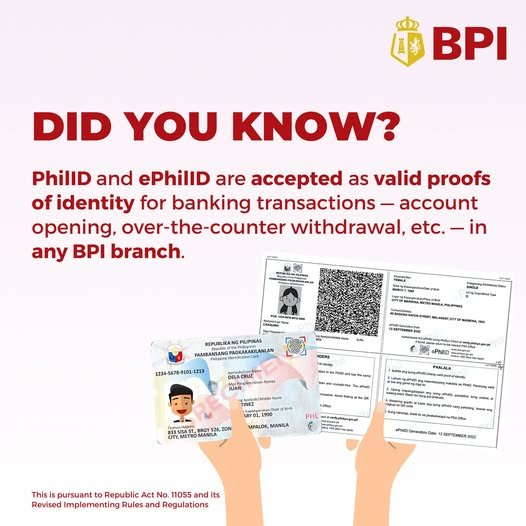
Yes. The Bangko Sentral ng Pilipinas (BSP) issued a circular confirming that the Philippine Identification System (PhilSys) ID is a valid primary government-issued ID for bank account opening, Know-Your-Customer (KYC) verification, and other financial transactions. This means banks are legally required to accept it — they cannot turn you away just because you only have a National ID and no other document.
In practice, most major banks have updated their branch procedures and online onboarding systems to include the National ID as an accepted document. A handful of smaller rural banks or cooperatives may not have fully integrated it yet, but for the banks most Filipinos actually use — BDO, BPI, UnionBank, Metrobank — it is accepted across the board.
One thing worth noting: using a national ID for a bank account covers identity verification, but it does not replace every other requirement. Banks still ask for a completed form, an initial deposit, and sometimes a selfie for liveness verification. We cover exactly what else you need in the requirements section below.
Which Banks Accept the Philippine National ID
All of the following banks officially accept the PhilSys National ID as a valid primary ID for bank account opening as of 2025. The table also shows which ones support fully online or app-based applications, so you can decide whether to go to a branch or apply from home:
| Bank | Accepts National ID | Online Account Opening | Notes |
|---|---|---|---|
| BDO Unibank | Yes | Yes (BDO Online) | Accepts physical card; ePhilID acceptance varies by branch |
| BPI (Bank of the Philippine Islands) | Yes | Yes (BPI app) | ePhilID accepted for online onboarding with selfie verification |
| UnionBank | Yes | Yes (UnionBank app) | Strong digital onboarding; ePhilID works well with their app |
| Metrobank | Yes | Partial (basic info only) | Full account opening usually requires branch visit |
| Landbank of the Philippines | Yes | No | Branch-only; accepts National ID as primary document |
| PNB (Philippine National Bank) | Yes | No | Branch visit required; National ID accepted at counter |
| Security Bank | Yes | Yes (Security Bank app) | Accepts National ID for both in-branch and app-based opening |
| RCBC | Yes | Yes (DiskarTech app) | National ID accepted; DiskarTech designed for unbanked Filipinos |
| GCash (GSave) | Yes | Yes (GCash app) | Full verification done digitally; National ID commonly used |
| Maya (formerly PayMaya) | Yes | Yes (Maya app) | Accepts ePhilID image for KYC verification |
Can You Use the ePhilID (Digital Version) to Open an Account?
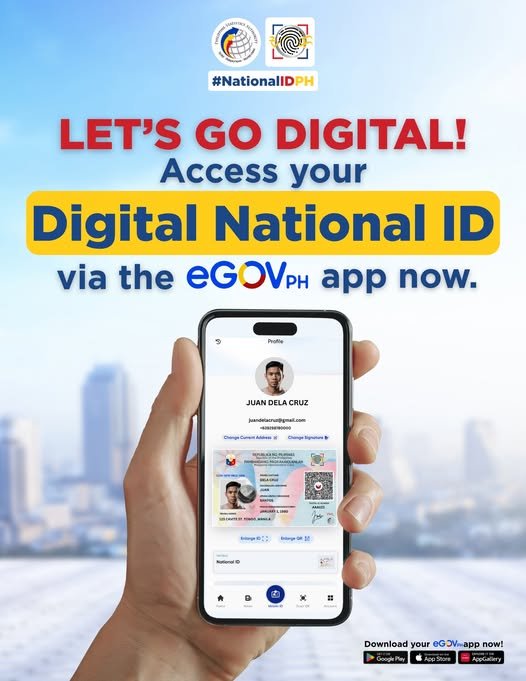
The ePhilID is the digital version of the PhilSys ID — a printable PDF or digital image that contains your PhilSys Number (PSN), photo, and QR code. It is officially recognized by the Philippine Statistics Authority (PSA) and the BSP as a valid form of identification, including for using your national ID for a bank account application.
For online and app-based account opening, the ePhilID works quite well because most bank apps simply ask you to upload a photo of your ID. BPI’s app, UnionBank’s app, and Maya all accept an ePhilID image during their onboarding process. The QR code on the ePhilID can also be scanned for real-time verification in some setups.
For in-branch account opening, the experience is more inconsistent. Some branches will accept a printed copy of the ePhilID without question. Others will ask for the physical card. If you only have the ePhilID and plan to visit a branch, bring a printed copy (not just the image on your phone screen), and keep a secondary ID as backup — not because it is legally required, but because it prevents a wasted trip while the branch sorts out their procedure.
If you have not downloaded your ePhilID yet, our guide on how to download your ePhilID from the PSA portal walks through the steps. If the portal does not show your record yet, wait a few days and try again — PhilSys records sometimes take time to fully appear in the system even after you receive your registration confirmation.
Other Requirements Alongside Your National ID
The National ID covers the identity verification part of account opening, but banks also require a few additional items. These vary slightly between banks and account types, but for most basic savings accounts, you can expect the following:
- Completed account opening form — filled out at the branch or through the app. Online forms are straightforward but take a few minutes to complete accurately.
- Initial deposit — the amount depends on the account type. Basic deposit accounts (BDA), which are low-requirement accounts mandated by the BSP, often require zero to ₱100. Regular savings accounts typically require ₱500 to ₱5,000 depending on the bank.
- Signature specimen — for branch-based accounts. You sign a card or form that the bank keeps on file.
- Selfie or photo verification — for app-based and online onboarding, most banks will ask you to take a live selfie alongside your ID photo. This is part of their liveness check to confirm the ID belongs to the person applying.
- Source of funds — for certain account types, especially those with higher transaction limits, the bank may ask about your employment status or source of income. For basic accounts, this is often not required.
How to Open a Bank Account Using Your National ID
The process of using your national ID for a bank account differs slightly depending on whether you go to a branch or use an app. Here is what each path looks like in practice.
Opening an Account at a Branch
- Choose the bank and account type beforehand. Check the bank’s website for their account options and minimum deposit requirements. This saves time at the counter.
- Prepare your National ID — physical card or printed ePhilID — and any supporting documents (initial deposit amount in cash, secondary ID if you have one).
- Go to the branch during non-peak hours. Mid-morning on a Tuesday or Wednesday tends to be less crowded than Monday mornings or lunch hours. Fridays near paydays are usually very busy.
- Get a queue number and wait to be called. At busy branches, this can take 30 to 60 minutes. Some banks have separate counters for new accounts, so ask the guard when you arrive.
- Fill out the account opening form at the counter or at a nearby desk. The bank officer will verify your National ID and check that the details match.
- Submit your initial deposit in cash. You will receive a temporary passbook, ATM card application receipt, or account confirmation depending on the bank’s process.
- Wait for your ATM card or passbook. Most banks mail ATM cards within 5 to 15 business days. Some banks like BDO allow you to pick up your card at a branch, which is faster if you need it quickly.
Opening an Account Online or via App
- Download the bank’s official app from the App Store or Google Play. Confirm it is the official app — scam apps impersonating real banks do exist.
- Start the account opening process and fill in your personal details. You will need your full name, date of birth, address, and contact information exactly as they appear on your National ID.
- Upload a photo of your National ID when prompted. For ePhilID, upload the image from your saved file. Make sure the photo is clear, not cropped, and shows the QR code.
- Complete the selfie or liveness check. The app will ask you to take a photo or short video of your face. Do this in good lighting. Blurry or dark selfies often fail the automated verification and you will have to restart.
- Make your initial deposit via GCash, InstaPay, or any linked payment method. Some apps allow a zero-initial-deposit for basic account types.
- Wait for account approval. This usually takes a few minutes for fully digital banks and up to 3 to 5 business days for traditional banks with manual review steps. You will receive an email or SMS when the account is active.
Tips for First-Time Account Openers
- Use your name exactly as it appears on your National ID. If your ID says “Juan R. dela Cruz” and you write “Juan Dela Cruz” on the form, it can flag as a mismatch and slow down verification.
- Start with a digital bank or e-wallet if you want the fastest setup. Maya and GCash both allow you to open an account and start transacting within the same day. Traditional banks take longer but offer more services like checkbooks and higher transaction limits.
- Verify your PhilSys record is active before applying at a bank that uses QR code scanning. Some banks scan the QR code on the ID to pull up your record automatically. If your record has not synced yet, this step may fail even though your card is legitimate. You can check your PhilSys registration status here before heading to the bank.
- For BPI specifically: the BPI app has a clean onboarding flow that works well with the National ID. You can open a BPI Savings Account entirely through the app. Have your PSN (PhilSys Number) ready — it is printed on the front of your card and the app will ask for it during setup.
- If your application gets rejected: ask the bank officer or app support for the specific reason. Common issues include blurry ID photos, name mismatches, and failed liveness checks — all of which are fixable. Do not assume you are ineligible because most rejections are technical, not eligibility-based.
- No TIN? That is fine for basic accounts. Some banks may ask for it on their form, but for basic savings accounts it is not a hard requirement. Write “N/A” if you do not have one yet.
- Still waiting for your physical card? Check your National ID delivery status — and remember that you can use your ePhilID in the meantime for online bank account applications while the physical card is in transit.
Frequently Asked Questions (FAQ)
Can I use my National ID to open a bank account in the Philippines?
Yes. The Philippine National ID (PhilSys ID) is accepted as a valid primary government ID at most banks including BDO, BPI, UnionBank, Metrobank, Landbank, Security Bank, and RCBC. The BSP has confirmed that banks are required to accept it. You will still need to meet other requirements like completing an account opening form and making an initial deposit, but the National ID covers the identity verification requirement.
Can I use the digital National ID (ePhilID) to open a bank account?
Yes, in most cases. For app-based and online account opening at banks like BPI, UnionBank, Maya, and GCash, you can upload your ePhilID image during the onboarding process. For in-branch account opening, acceptance of the ePhilID varies — most branches accept a printed copy, but some may request the physical card. If you only have the ePhilID, bring a printed version and a backup secondary ID just in case.
Can I use my digital National ID to open a BDO account?
BDO accepts the National ID as a valid primary ID. For online account opening through BDO’s portal, you can upload an image of your ID. For in-branch opening, a printed ePhilID is generally accepted, though a small number of branches may ask for the physical card as well. Calling your target branch before visiting is a good way to confirm their current procedure and avoid a wasted trip.
What banks accept the digital National ID in the Philippines?
For fully digital or app-based onboarding, UnionBank, BPI, Maya, GCash (CIMB/Robinsons Bank via GSave), and Security Bank all accept the ePhilID. These banks process ID photos digitally during onboarding, which makes the ePhilID a practical option. For traditional banks with branch-based processes, the physical PhilSys card tends to work more reliably, though the ePhilID is technically valid at all of them.
Can I use my National ID for PayPal in the Philippines?
PayPal Philippines accepts government-issued IDs for account verification, and the Philippine National ID is included in their accepted documents list. When verifying your PayPal account, you can submit a photo of your PhilSys ID or ePhilID. However, PayPal’s identity verification is separate from bank account opening — you link a bank account or card to PayPal after the bank account is already set up.
Can I get an online loan using my digital National ID?
Several online lending platforms and digital banks accept the ePhilID for loan applications. Tonik, Maya, and CIMB Bank all offer credit products with digital-only onboarding and accept the National ID. Traditional bank loans typically require more documentation, but for small personal loans through fintech lenders, the National ID is usually sufficient for identity verification.
What are the BPI requirements to open an account?
For a BPI savings account opened through the BPI app, you need: a valid government-issued ID (the National ID works), your PhilSys Number (printed on the front of the card), a working mobile number and email address, and an initial deposit (the amount depends on the account type — BPI Savings Account requires ₱3,000, while some simplified accounts require less). You will also complete a selfie verification through the app. The whole process can be done in under 15 minutes if your ID photo uploads cleanly.