If you have already completed your PhilSys biometric registration and received your transaction slip, the next step is using PHLPost National ID tracking to monitor exactly where your physical card is in the delivery pipeline. This guide walks you through every step — from reading your TRN to claiming your card at the post office.
PHLPost National ID Tracking How to Use Your TRN (2026 Guide)
The Philippine Postal Corporation (PHLPost) is the official government courier responsible for delivering all PhilID physical cards from BSP printing facilities to registrants nationwide. All phlpost national id tracking is done through their official portal at tracking.phlpost.gov.ph.
What Is the TRN and Where Do You Find It?
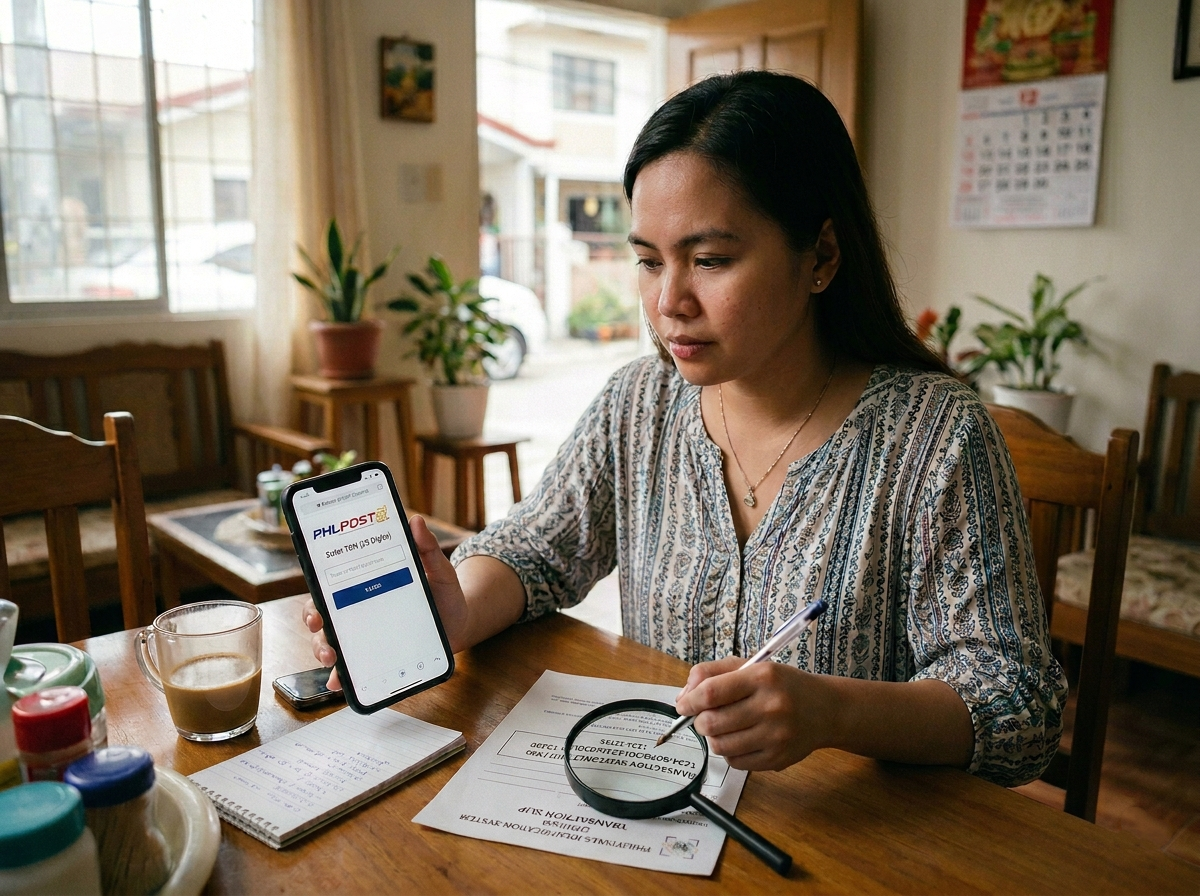
Your Transaction Reference Number (TRN) is the unique tracking code that links your PhilSys registration record to your physical card shipment. You cannot track your National ID on PHLPost without it.
📋 Where to Find Your TRN
- Transaction Slip (Step 2): The TRN is printed on the paper slip handed to you at the end of your biometric capture appointment. It is the longest number on the slip.
- Format: Older registrants (pre-2024) received a 15-digit TRN. More recent registrants may have a 29-digit TRN. Both formats are valid on the PHLPost portal.
- Lost your slip? Visit the nearest PSA PhilSys registration center and bring a valid ID. Staff can retrieve your TRN from their system using your name and date of birth.
Step-by-Step PHLPost National ID Tracking
Follow these steps precisely to check your card’s current delivery status.
Open the Official PHLPost Tracking Portal
On your phone or computer, go to tracking.phlpost.gov.ph. Do not use third-party parcel tracking aggregators — they often do not support the PhilSys numeric TRN format and may display stale or incorrect data.
Enter Your TRN in the Tracking Field
Type or paste your TRN into the search box exactly as it appears on your transaction slip. Enter digits only — no spaces, dashes, or special characters. The field accepts both 15-digit and 29-digit formats. Do not include any prefix letters.
Press “Track” and Load Your Results
Click or tap the Track button. The page will display a chronological event log of your parcel’s journey. Each row shows a date, location, and status code. The most recent entry at the top reflects your card’s current position.
Read and Interpret Your Status
Match the status label shown to the guide in the next section below. If your status has not changed in 5–7 business days and you believe your card should be moving, check back in another 3 days before escalating to PHLPost or PSA.
⚠ Check Every 2–3 Days, Not Multiple Times Daily
The PHLPost tracking database updates in batches — not in real time. Checking too frequently will show no new updates and may lead you to incorrectly believe there is an error. A consistent check every 2–3 days is sufficient.
What Each PHLPost Tracking Status Means
Here is a plain-language explanation of every status label you may encounter when doing phlpost tracking id philsys queries.
🔵 Item Accepted / Received at Origin Facility
Your PhilID has been printed and quality-checked by the Bangko Sentral ng Pilipinas (BSP) and has officially been handed over to PHLPost. Your card is now in the postal network. This is the first status you will see — it means the delivery process has begun.
🟡 In Transit / Arrived at [Sorting/Distribution] Facility
Your card is physically moving through the PHLPost network toward your regional hub. You may see several “In Transit” entries as the parcel moves between facilities — this is normal. Duration varies from 2 days (Metro Manila) to 2 weeks (remote provinces).
🟠 Out for Delivery
Your PhilID is in the hands of your local letter carrier and will be delivered to your registered address today. Be present at your address or have an authorized representative ready with a signed authorization letter and valid ID.
🟢 Delivered
Your card has been successfully handed over at your registered address. If you did not personally receive it, check with household members. If still missing, proceed to the steps in the “What to Do” section below.
🔴 Delivery Attempted / Unsuccessful Delivery
The postal carrier visited your address but could not complete delivery — usually because no one was home or there was no authorized representative present. Your card is now being held at your local PHLPost branch. You typically have 15 calendar days to claim it before it is returned to the BSP/PSA.
⚪ Returned to Sender
Your card was held at the post office and not claimed within the holding period. It has been returned to the BSP/PSA. You must now contact the PhilSys hotline at 1388 or email info@philsys.gov.ph to arrange re-delivery.
What to Do If PHLPost Tracking Shows No Result
A “Not Found,” blank result, or “No tracking information available” response is the most common concern among registrants attempting national id tracking using TRN. Here is exactly what it means and what to do.
✅ Most Likely Cause: Card Still Printing
A “No Result” response most commonly means the BSP has not yet finished printing and processing your card. Your TRN only appears in the PHLPost system after PHLPost physically receives the parcel from BSP. You do not need to re-register.
🔢 Check Your TRN Entry
Re-enter your TRN carefully. A single transposed digit will return no results. If you copied the number manually, verify it digit-by-digit against your transaction slip. Confirm you are not including spaces, dashes, or letter prefixes.
⏳ Realistic Wait Times in 2026
As of 2026, it is common for a TRN to show “No Result” for 6 to 18 months after your Step 2 biometric capture — especially for registrants from 2022–2023 batches. If your TRN still shows no result after 18 months, visit your nearest PSA office to inquire about your batch status. In the meantime, download your ePhilID or use the eGovPH Digital ID as a fully valid substitute.
How to Claim Your National ID at the Post Office
If your PHLPost tracking shows “Delivery Attempted” or if you missed the courier, here is exactly how to retrieve your card from your local branch.
🏤 Walk-In Claiming Requirements
- Your original transaction slip (or a screenshot of your TRN if the slip is lost)
- At least one valid government-issued ID (Passport, Driver’s License, UMID, Postal ID, etc.)
- If claiming on behalf of someone else: a signed authorization letter, a photocopy of the registrant’s valid ID, and your own original valid ID
Visit your local PHLPost delivery office — this is the branch that serves your registered barangay, not necessarily the nearest post office. Ask the counter staff to check for a held PhilSys parcel under your TRN.
📅 Claiming Window and Return-to-Sender Risk
PHLPost holds undelivered PhilID parcels for approximately 15 calendar days from the last delivery attempt date shown in your tracking log. After this window, the parcel is returned to BSP/PSA. If this happens, do not panic — contact PhilSys at 1388 to request re-dispatch. This process can take additional weeks but your ID is not cancelled.
Frequently Asked Questions
Can I track my National ID using just my name, not my TRN?
No. The PHLPost tracking portal requires your TRN. There is no name-based lookup available to the public. If you lost your TRN, visit a PSA PhilSys center with a valid ID and request your TRN retrieval.
My tracking shows “Delivered” but I never received my card. What do I do?
First, check with all household members. If still unaccounted for, visit your local PHLPost branch with your TRN and valid ID to file a delivery discrepancy report. Simultaneously contact PhilSys at 1388. PHLPost delivery records include the name of the person who signed for the parcel, which can help resolve the dispute.
Is there a PHLPost tracking app for National ID?
PHLPost does not have a dedicated tracking app. All phlpost national id tracking is done through their website at tracking.phlpost.gov.ph. For your digital ID, use the separate eGovPH app — but that is for accessing your Digital National ID, not for tracking parcel delivery.
How is PhilSys TRN tracking different from regular PHLPost parcel tracking?
Standard PHLPost parcels use alphanumeric tracking codes (e.g., RR123456789PH). PhilSys TRNs are purely numeric (15 or 29 digits). Both are entered into the same tracking portal but use different formats. Entering a PhilSys TRN in the format of a regular parcel number will return no results.