- Table of Contents
- Official vs. Realistic Delivery Timelines (NCR vs. Provinces)
- Why Is Your National ID Delivery Delayed? (Honest Explanation)
- Understanding PHLPost Statuses: "In Printing" vs. "Dispatched"
- How Can I Check My National ID Online?
- How to Change Marital Status in National ID Online
- What to Do if Your Card Has Not Arrived After 6+ Months
- Frequently Asked Questions (FAQ)
Let me be completely honest with you about how long national id delivery philippines actually takes — because the official answer and the real-world answer are two very different things. I have been tracking PhilSys delivery reports from readers across the country since 2024, and what I keep hearing is frustration: people who registered months ago, still waiting, still checking the same portal, still getting vague statuses.
The short answer? Expect anywhere from 1 month to over a year, depending on where you live. But the longer answer — the one that actually helps you — is what this guide is about. I will walk you through realistic timelines for each region, explain exactly why cards get delayed, show you how to check your status right now, and more importantly, tell you what to do so that a slow physical card does not hold up your life.
How Long Does National ID Delivery Take (2026 Honest Answer)
Table of Contents
- Official vs. Realistic Delivery Timelines (NCR vs. Provinces)
- Why Is Your National ID Delivery Delayed? (Honest Explanation)
- Understanding PHLPost Statuses: “In Printing” vs. “Dispatched”
- How Can I Check My National ID Online?
- How to Change Marital Status in National ID Online
- What to Do if Your Card Has Not Arrived After 6+ Months
- Frequently Asked Questions (FAQ)
Official vs. Realistic Delivery Timelines (NCR vs. Provinces)
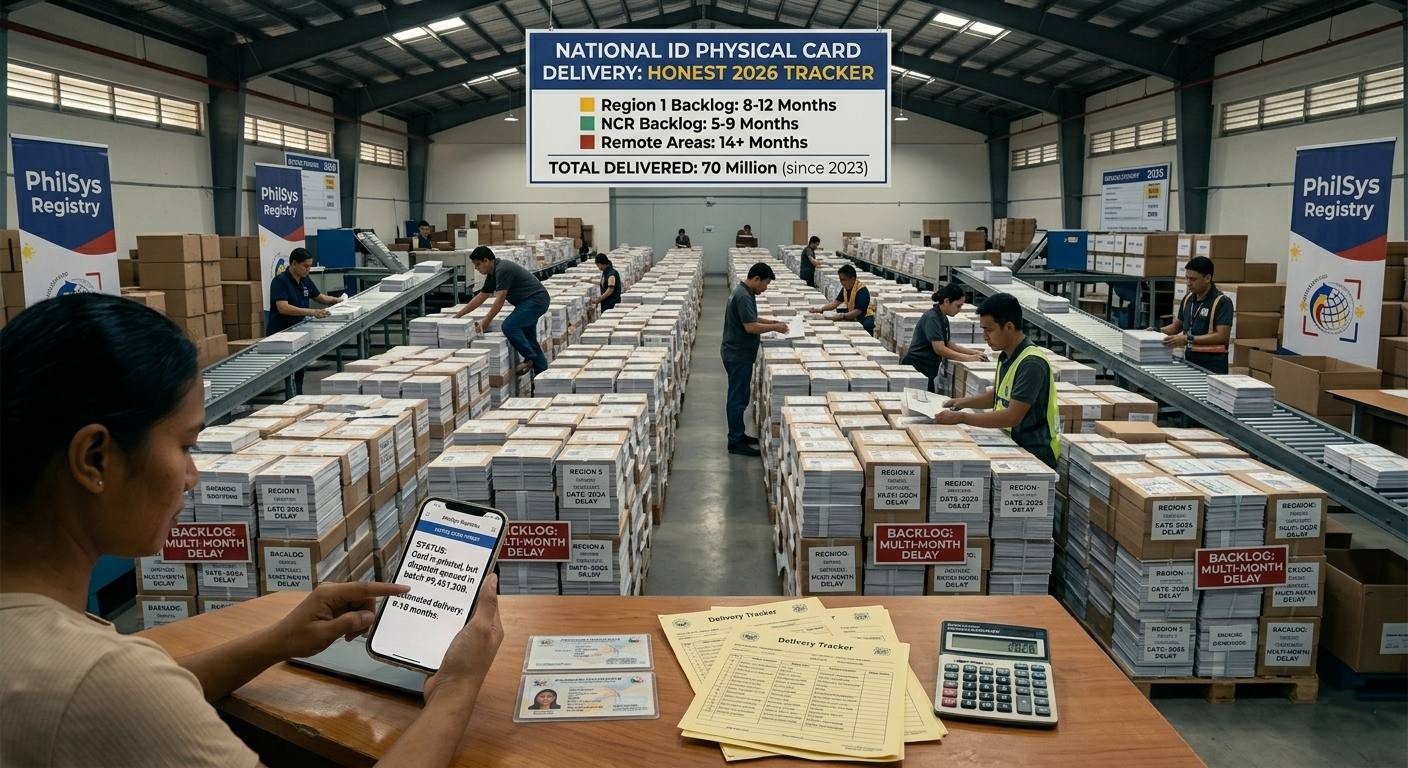
Here is where things get a little uncomfortable. When the PSA rolled out the PhilSys program, they published some fairly optimistic target timelines — 5 to 7 working days for Metro Manila, a month at most for the provinces. On paper, that sounds great. In practice, I have not met a single person whose card arrived within those windows.
I want you to walk into this with realistic expectations, so here is what the national id delivery time 2026 actually looks like based on real reports. I also built a free PhilSys Processing Time Estimator that gives you a personalised delivery window based on your region and biometrics date — I strongly recommend running your details through it before you start panicking about your timeline.
| Region / Location | Official PSA Target | 2026 Realistic Delivery Time | What I Recommend Doing |
|---|---|---|---|
| Metro Manila (NCR) | 5 to 7 working days | 1 to 3 months | Check the PHLPost tracker after 30 days. Use our estimator to set a realistic expectation date. |
| Major Cities & Provinces (Luzon / Visayas / Mindanao) | 15 to 30 working days | 3 to 6 months | Download your digital ePhilID now via the eGovPH portal. Do not wait for the physical card to start your transactions. |
| Remote & Inter-island Municipalities | 30 to 45 working days | 6 to 12+ months | Prioritise your digital copy. Also personally check your local post office — undelivered cards often sit there unclaimed. |
The gap between the official promise and reality is wide, and I think it is important that you know this upfront rather than spend months refreshing the tracking portal wondering if something went wrong. In most cases, nothing went wrong — the system is just slow. That said, knowing how can i check my national id online right now, and having your digital copy ready, will make the wait far less stressful.
Why Is Your National ID Delivery Delayed? (Honest Explanation)
I get this question all the time: “It has been four months, is my card lost?” Almost certainly, it is not lost. The delay usually comes down to one of three bottlenecks that have nothing to do with your individual application. Here is what is actually happening behind the scenes:
- Printing Backlogs at the BSP: The physical PhilSys card is not printed by an ordinary printer. The Bangko Sentral ng Pilipinas (BSP) prints these cards on polycarbonate — the same high-security material used for passports. The machines are expensive, the process is slow, and there are over 85 million registrants in the queue. Even running at full capacity, it takes years to catch up. Your card is almost certainly in that queue; it just has not reached the front yet.
- Biometric Deduplication: Before your card is ever sent to the printer, the PSA runs your biometrics — fingerprints, iris scan, facial data — through a deduplication algorithm to make sure you are not already registered under a different record. This is an important step that protects the integrity of the entire system, but it adds time. If the algorithm flags anything for manual review, it adds even more time.
- PHLPost Delivery Challenges: Even after your card is printed and handed over to PHLPost, delivery is not guaranteed on the first attempt. Rural addresses without house numbers or street names are difficult for postal carriers to find. When a carrier cannot locate an address, the card is returned to the local post office branch rather than left unattended — which is the right policy, but it means your card could already be sitting at your local post office waiting for you to claim it.
Understanding these three layers is actually reassuring, in a way. A national id delayed delivery is almost never a sign that your data was lost or your registration failed. It is a sign that an enormous government logistics machine is working through a queue of tens of millions of people.
Understanding PHLPost Statuses: “In Printing” vs. “Dispatched”
Once you have your transaction slip from your Step 2 appointment, you can check your card’s progress using the official PHLPost tracking portal. But the status codes they use are not always self-explanatory, and I want to save you from unnecessary panic by walking you through what each one actually means.
First, a quick but important note: there is no such thing as national id tracking by name. The Data Privacy Act of 2012 prohibits any system that lets people search ID records using someone’s name alone. Your transaction slip number is the only key that unlocks your tracking information. Guard that slip. If you have already lost it, call the PSA helpline at 1388 to recover your transaction details.
Second, when you enter your national id tracking qr code or transaction reference number, you will likely see one of these statuses:
- In Printing / Pending: Your biometric deduplication has been cleared — great news. But your physical card has not been printed yet. You are in the queue. This is the most common status for applicants who registered in the last 6 to 12 months. Keep checking every few weeks, and in the meantime, follow our tracking guide to make sure you are using the right portal.
- Dispatched / Received by PHLPost: Your card has been printed and handed over to PHLPost for delivery. From this point, expect 1 to 2 weeks in Metro Manila and up to a month in provincial areas. If it has been longer than that, visit your local post office in person with your transaction slip.
- Not Found: This one causes unnecessary panic, but it usually just means your registration data is still being processed through the biometric deduplication stage and has not yet been queued for printing. It does not mean your registration was rejected or lost. Wait two weeks and check again.
For a more detailed breakdown of each tracking stage and what action to take at each one, visit our full National ID Tracking Guide — it also explains what to do when your status has been stuck on the same stage for months.
How Can I Check My National ID Online?
This is honestly the part I wish more people knew about earlier. You do not have to wait for the physical card to have a legally valid National ID in your hands. The government has made it possible to access and download national id copies digitally, and I think this completely changes the experience of waiting.
Here is exactly how to check your record and get your digital copy right now:
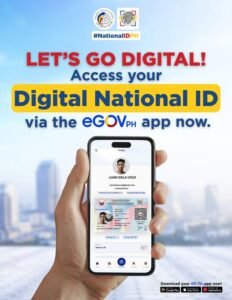
- Go to the Official Portal or App: Open your browser and visit national-id.gov.ph — this is the national id gov ph open now portal that is live and accessible to all registered citizens. Alternatively, download the eGovPH app from the Google Play Store or Apple App Store.
- Locate Your Record: Click the “Check Status” or “Verify” section. Enter your transaction reference number, or your full name and date of birth to find your registration record and verify national id details.
- Complete Facial Verification: The portal will ask to access your camera. It will do a quick live face scan and match it against the photo captured during your Step 2 biometrics appointment. This usually takes under 30 seconds.
- Download Your Digital ID: Once verified, your ePhilID — the official digital version of your National ID — will appear on screen. Tap or click the download button to save it as a secure PDF to your device.
That digital copy carries exactly the same legal weight as the physical card. Every government office, every bank, every private institution in the Philippines is legally required under RA 11055 to accept it. I have personally used mine to open a bank account (see our guide on using your national id for a bank account) and for Maya verification without any issues at all.
How to Change Marital Status in National ID Online
I get this question a lot, especially from readers who recently got married or whose annulment was just finalised. So let me give you the direct answer: you cannot change your marital status in national id online, and as of 2026, there is no online correction portal for this specific field.
I know that is frustrating to hear. But the PSA made this decision deliberately — civil status affects your legal name, property rights, and beneficiary eligibility, so they require in-person verification to prevent fraud and unauthorised corrections. Here is the process you will need to follow:
- Gather Your Supporting Documents: If you are changing from Single to Married, you need an original PSA-issued Marriage Certificate. For annulment or legal separation, bring the certified copy of the court decree. Also bring your PSA Birth Certificate and any valid ID.
- Walk Into a PhilSys Registration Centre: No online booking is required for corrections in most centres, but I recommend going early in the morning to avoid queues. Ask specifically for the “Correction of Entry” counter or window.
- Fill Out the Correction Form: The PSA officer will give you a PhilSys Correction of Entry Form. Indicate “Civil Status” as the field being corrected and attach your supporting document.
- Biometric Re-verification: They will scan your fingerprints or iris to confirm you are the registered cardholder, then update the database record.
- Wait for Your Updated Card: A new physical card will be queued for printing. Your digital ePhilID on the eGovPH app should reflect the corrected information within a few weeks, even before the physical card arrives.
What to Do if Your Card Has Not Arrived After 6+ Months
Six months. No card. I hear this from readers regularly, and I want to give you a clear action plan rather than just “wait longer.”
- Go to Your Local Post Office First: This is the step most people skip, and it is often the one that solves the problem immediately. PHLPost carriers sometimes cannot find specific addresses — especially in barangays without standardised house numbering — and they return the card to the local post office branch rather than leave it unattended. Walk in with your transaction slip and ask the postal clerk to check their sorting area for a PhilSys card under your name. You might walk out with it the same day.
- Use Our Processing Time Estimator: Before you escalate, use the PhilSys Processing Time Estimator to check whether your region’s realistic delivery window has genuinely been exceeded, or whether you are still within normal range. Provincial applicants in some areas are still within expected timelines at the 8-month mark.
- Call or Email the PhilSys Helpdesk: The official hotline is 1388 and the email is info@philsys.gov.ph. Give them your transaction reference number and ask them to confirm whether your card has been printed and dispatched. If it has been dispatched but not delivered, ask for a redelivery request or a pickup option at your nearest PHLPost branch.
- Stop Waiting and Use Your Digital ID: Seriously — stop putting your life on hold for a physical card. Download your digital ePhilID today and use it. You can use it to apply for a passport (read our guide on using your national id for a passport application), open bank accounts, and handle virtually any government or private transaction. The physical card will come eventually. Do not let it delay you.
Frequently Asked Questions (FAQ)
How long does National ID delivery take in the Philippines?
From my tracking of real applicant reports, physical National ID delivery in Metro Manila takes about 1 to 3 months. For major provinces it is 3 to 6 months, and for remote or inter-island municipalities it can stretch to 12 months or more. The official PSA targets are significantly faster than what most people actually experience. I recommend using the Processing Time Estimator to get a region-specific window rather than going by the official figures.
How can I check my National ID status online?
You have two options. For delivery tracking, visit the official PHLPost portal and enter your transaction slip number. For your registration record and digital ID access, go to national-id.gov.ph or use the eGovPH app, complete the facial verification step, and you can view your status and download your digital ID instantly. For a full walkthrough of each portal, see our National ID Tracking Guide.
Can I track my National ID by my name?
No — and this is intentional. There is no national id tracking by name option in any official system. The Data Privacy Act of 2012 prohibits this to protect your personal information. Your transaction reference number from your Step 2 appointment slip is the only valid tracking key. If you have lost your slip, call the PSA helpline at 1388 to recover your transaction number.
Is the digital National ID (ePhilID) available now?
Yes, it is open and available right now. The national-id.gov.ph portal is live and accessible to all registered citizens. Once you complete the facial verification step, you can download a secure PDF of your digital National ID immediately. This digital copy has the same legal validity as the physical card under RA 11055.
How many months does it take to get a PhilSys card?
Realistically, expect 3 to 12 months depending on your region. The good news is that you do not need to wait for the physical card — the digital ePhilID is available for download within weeks of completing registration and is legally accepted everywhere in the Philippines. Use the Processing Time Estimator for a more specific estimate based on your location and registration date.
How do I change my marital status on my National ID?
You cannot change your marital status online — it requires an in-person visit to a PhilSys registration centre. Bring your PSA Marriage Certificate (or court decree for annulment), fill out the Correction of Entry Form, and undergo biometric re-verification. Your digital ID on the eGovPH app will reflect the corrected status within a few weeks, even before the new physical card arrives.