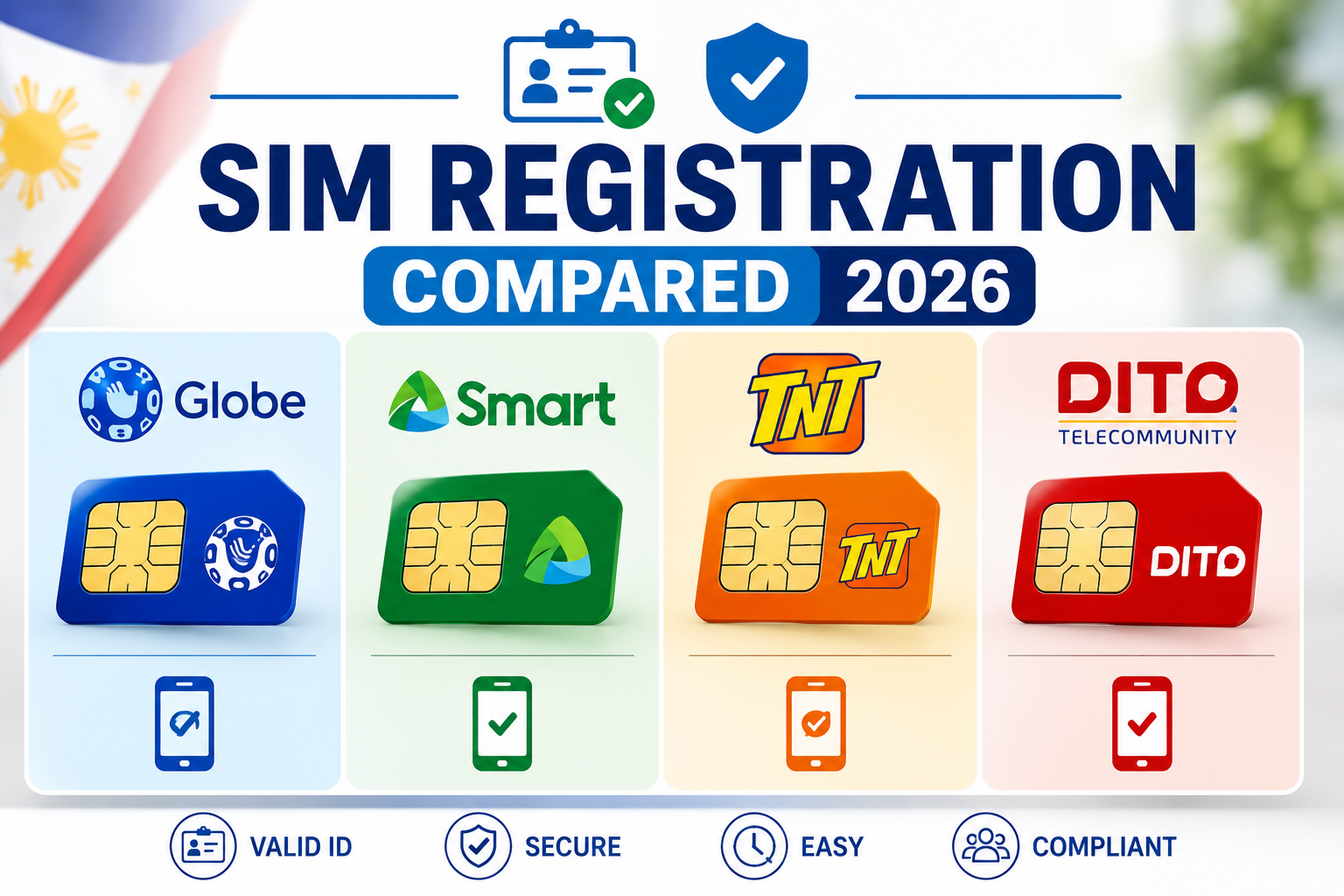
Quick answer: All four networks follow the same basic flow required by the SIM Registration Act (RA 11934) — enter your number, verify by OTP, submit a valid ID photo plus a selfie, and wait for SMS confirmation. What actually differs between them is where you do it (app vs. web portal), which accepted-ID list applies, and how each handles edge cases like foreign nationals or minors. The comparison below covers exactly that.
All Four Networks at a Glance
| Globe / TM | Smart / TNT | DITO | |
|---|---|---|---|
| Official web portal | globe.com.ph/register-sim-card | simreg.smart.com.ph | dito.ph/sim-registration |
| Official app | GlobeOne | GigaLife | DITO app |
| Verification method | OTP + ID photo + selfie | OTP + ID photo + selfie | OTP + ID photo + selfie |
| Typical processing time | Minutes, occasionally longer at peak times | Minutes, occasionally longer at peak times | Minutes to a few hours |
| Cost | Free | Free | Free |
| Registration status check | GlobeOne app badge | GigaLife app badge, or portal OTP re-check | DITO app |
Note that Smart and TNT run on the same registration system since both belong to Smart Communications — the steps are identical regardless of which of the two you’re on.
Globe / TM SIM Registration
- Go to globe.com.ph/register-sim-card or open the GlobeOne app.
- Enter your Globe or TM mobile number and request an OTP.
- Enter the OTP within the given time window — if it doesn’t arrive, wait a few minutes before requesting again rather than repeatedly resending.
- Fill in your personal details exactly as they appear on your ID.
- Upload a clear photo of your ID and complete the selfie/live face verification step.
- Review everything, accept the privacy notice, and submit. Save the reference number shown on screen.
- You’ll receive an SMS confirmation once approved.
Smart / TNT SIM Registration
- Go to simreg.smart.com.ph or open the GigaLife app.
- Enter your Smart or TNT mobile number and request an OTP.
- Enter the OTP code sent to your phone.
- Fill in your name, date of birth, address, and nationality as shown on your ID.
- Upload a valid ID photo and take a clear selfie for verification.
- Review your details and submit.
- You’ll receive a reference number or confirmation message once registration succeeds.
DITO SIM Registration
- Insert your DITO SIM and enable mobile data, or download the official DITO app directly.
- Open the registration link sent via SMS, or the SIM Registration option inside the app.
- Select your registrant type — individual, dependent, foreign national, or business — since DITO’s form branches based on this.
- Fill in your personal details and upload a valid ID photo.
- Complete the selfie verification step.
- Submit — once verified, your SIM activates automatically.
What Actually Differs Between the Four
The core legal requirement is identical across networks — that’s set by RA 11934, not by the telco. Where they genuinely diverge:
- Accepted ID list: DITO accepts a broader set of secondary IDs (PhilHealth, PhilPost, LGU IDs, and student IDs for those 18+) than TNT, which explicitly excludes several document types. See our full requirements guide for the complete comparison.
- Registrant-type branching: DITO’s form asks upfront whether you’re an individual, dependent, foreign national, or business — Globe and Smart/TNT handle this distinction later in the flow instead.
- Where verification happens: Globe and Smart/TNT both push you toward their app for the smoothest experience, though their web portals work identically. DITO leans more heavily on its app specifically.
Registering With Your National ID Specifically
If you’re planning to use your PhilID or ePhilID as your registration ID, we’ve written a dedicated walkthrough for exactly that — including how to handle a QR code that won’t scan and what to do if your card is still in production: see National ID for SIM Registration.
Common Issues Across All Four Networks
- OTP not arriving: Wait a few minutes before requesting again — repeated immediate resends can trigger a temporary lockout on some portals.
- Portal not loading: Try mobile data instead of public WiFi, clear your browser cache, or switch browsers. Peak-hour traffic is the most common cause.
- ID photo rejected: Retake in good, even lighting with no glare, and make sure all four corners of the ID are visible in frame.
- Selfie/face verification failing: Use a plain background and make sure your face is fully visible — sunglasses, face masks, and heavy shadows are common causes of rejection.
Frequently Asked Questions
Q: Is the SIM registration process the same for Globe, Smart, TNT, and DITO? A: The legal requirement is identical — OTP verification, a valid ID, and a selfie — but the portal, app, and a few form details differ by network, as shown in the comparison above.
Q: Are Smart and TNT registered separately? A: No. Both run on the same Smart Communications registration system (simreg.smart.com.ph or the GigaLife app), so the steps are identical regardless of which one you’re on.
Q: Which network’s SIM registration is fastest? A: All four typically process within minutes when your ID and selfie upload cleanly. Delays usually come from portal traffic at peak hours or a rejected photo, not from a difference in the network’s underlying process.
Q: Do I need to register separately if I have SIMs on more than one network? A: Yes — registration is tied to each individual SIM, so a SIM on each network needs its own registration, even if it’s the same person and the same ID.
Q: What ID should I use if I’m choosing between networks? A: Your ID choice doesn’t need to match the network — all four accept the same core list of 16 government-issued IDs under RA 11934, with DITO accepting a few additional secondary IDs. See our full accepted-ID list for details.