📑 Table of Contents
▾
National ID Sample Philippines: What the Real PhilID Actually Looks Like
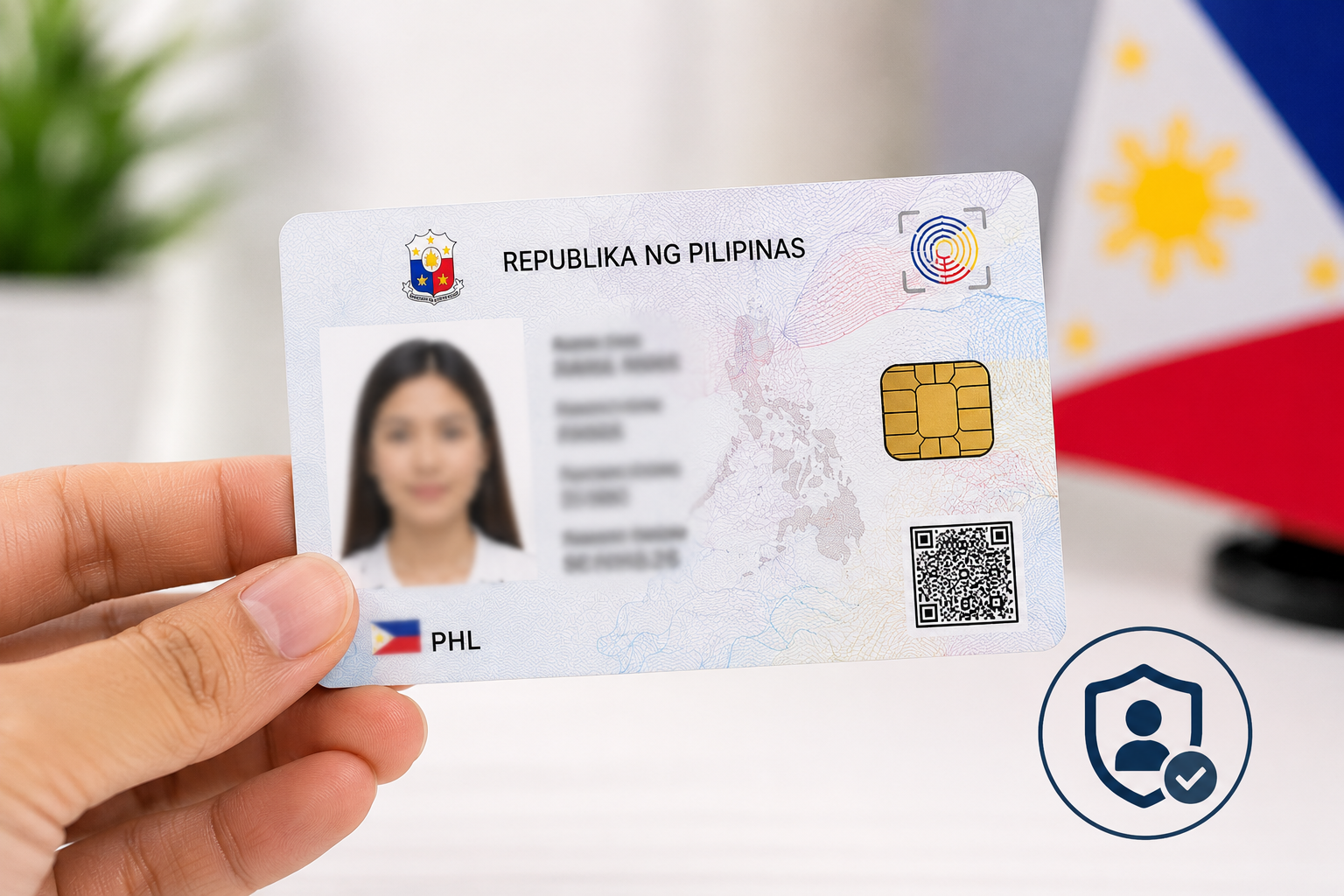
Last updated: August 2026. NationalIDDigital.ph is an independent resource and is not affiliated with the PSA, PhilSys, or the Philippine government. A National ID sample Philippines search usually comes from one of two places: you’re waiting for your own PhilID and want to know what to expect, or you’ve seen a confusing “template” online and want to check if it’s real. This guide covers both — the actual layout of the card, front and back, plus what to watch out for if you come across a so-called National ID template. Quick answer: The Philippine National ID exists in three official forms — a physical polycarbonate card, a printed ePhilID, and a digital version inside the eGovPH app. All three carry the same core details: your photo, full name, birth date, address, and a unique PhilSys Number, secured with QR codes and other anti-forgery features. There is no legitimate blank or editable “template” — the government never issues one, and any site offering a free downloadable template is not an official source.The Three Official National ID Formats
| Format | What It Is | Best Used For |
|---|---|---|
| Physical card (PhilID) | Polycarbonate plastic card, wallet-sized | Everyday ID, banking, in-person transactions |
| ePhilID | Printed paper version issued while you wait for the physical card | Interim ID for urgent transactions |
| Digital ID (eGovPH app) | Live digital version inside the eGovPH mobile app | Quick verification, no physical card needed |
Front of the Card: What’s Printed There
The front side is designed to be readable at a glance and includes:- Republic of the Philippines header and PhilSys branding
- A clear front-facing photograph
- Full legal name
- Date of birth
- Registered address
- A unique PhilSys Card Number (PCN)
- A QR code for quick verification
- A hologram security feature that shifts under light
Back of the Card: What’s Printed There
The back carries additional identity and security details:- Micro-printed PhilSys Number (PSN) — your full 12-digit permanent number, embedded in fine print rather than shown in large text
- Sex and blood type
- Marital status and place of birth
- A second QR code carrying a separate digital signature
What the Digital National ID Looks Like in the App
Inside the eGovPH app, your digital ID splits across two screens rather than a single card image:- Front screen: your PhilSys Number, a live photo, full name, date of birth, address, and a primary QR code.
- Back screen: sex, blood type, marital status, and a second QR code tied to a live digital signature that refreshes for security.
Important: There Is No Legitimate “National ID Template”
Searches for a national ID template Philippines, a blank PDF, or an “editable” version turn up frequently — and it’s worth being direct about this: the government does not release blank, editable, or downloadable templates of the National ID, under any circumstance. Any site offering one of the following is not an official or authorized source:- “Free National ID template PDF” downloads
- “Editable” or “blank” National ID templates
- Printable National ID card generators
Where to See Your Own Real National ID Sample
The only accurate “sample” that matters is your own, once issued. You can view it through:- The eGovPH app, once your digital ID is activated
- Your printed ePhilID, issued while your physical card is in production
- Your physical PhilID card, once delivered
Frequently Asked Questions
Q: What information is printed on the front of the National ID? A: Your photo, full name, date of birth, address, PhilSys Card Number, a QR code, and a hologram security feature. Q: Is my full PhilSys Number visible on the card? A: It’s on the back, but microprinted rather than displayed in large, easily readable text — a deliberate anti-fraud measure. Q: Can I download a blank National ID template? A: No. The government does not release blank or editable templates under any circumstance. Any site offering one is not an official source, and creating a fake ID can carry serious legal consequences. Q: What does the digital National ID look like compared to the physical card? A: It carries the same information across two app screens (front and back) instead of a single card, with a live QR signature instead of a static printed one. Q: Where can I see an accurate sample of my own National ID before it arrives? A: You can’t preview your specific card in advance, but the layout described in this guide reflects the standard official design used for every PhilID issued. Disclaimer: NationalIDDigital.ph is an independent resource. We are not affiliated with the PSA, PhilSys, or the Philippine government. This guide describes the general layout of the official National ID for informational purposes only and does not provide, endorse, or link to any template, blank form, or reproduction of the ID.
⚠️
Disclaimer
This is an independent guide not affiliated with the PSA, PhilSys, or any Philippine government agency. All information is based on publicly available official sources. Always verify with PSA.gov.ph or PhilSys.gov.ph before taking action.