
- What Counts as a Damaged National ID?
- Requirements to Replace a Damaged National ID in the Philippines
- Step-by-Step Process: How to Replace a Damaged National ID
- Replacement Fees for a Damaged National ID in 2026
- How Long Does It Take to Get a Replacement National ID?
- Where to Replace a Damaged National ID in the Philippines
- Damaged vs. Lost National ID — What Is the Difference?
- Tips to Protect Your National ID from Damage
- Can You Still Use a Damaged National ID?
- Frequently Asked Questions About Replacing a Damaged National ID
If your Philippine National ID is cracked, delaminated, faded, or too damaged to scan, you need to replace a damaged National ID in the Philippines. You can do this by visiting any PSA PhilSys Registration Center, surrendering the defective card, completing a replacement form, and paying the applicable fee. The entire process takes one visit — no online appointment needed in 2026.
The Philippine Statistics Authority (PSA) issues replacement cards under Republic Act No. 11055 (Philippine Identification System Act). Your PhilSys Number (PSN) stays permanently the same — only the physical plastic card is replaced. This guide walks you through every step, document, fee, and timeline so you can get a new PhilID card without delays.
💡
Bring your damaged card + PSA Birth Certificate to the nearest PSA office or mall-based PhilSys center. Fill out the PhilSys Card Replacement Form, undergo biometric verification, pay ₱135–₱400, and wait 1–3 months for delivery. Photo-peel defects caused by PSA may be replaced for free.
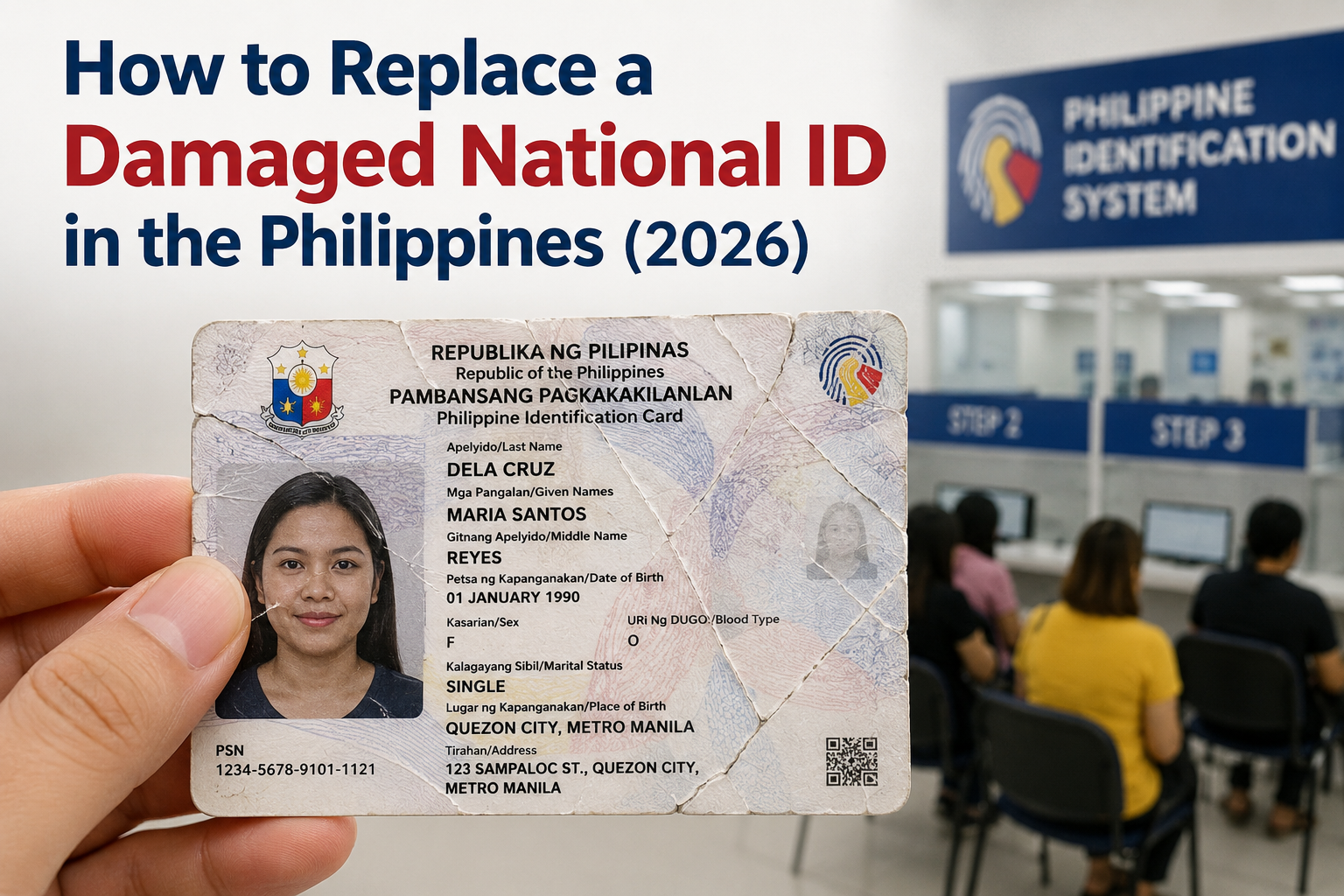
What Counts as a Damaged National ID?
Before you head to a PSA office, confirm that your card qualifies for a damaged National ID replacement. The PSA considers a PhilID “damaged” when any of the following conditions make it unusable for identity verification:
- Delaminated or peeling photo — the protective layer has separated, exposing or distorting your photograph
- Cracked or broken card — the plastic is physically split, bent beyond use, or has chunks missing
- Faded or unreadable text — your name, PSN, or other printed details are no longer legible
- QR code damage — the back QR code is scratched, smudged, or cannot be scanned by verification apps
- Water or fire damage — the card has been warped, discolored, or partially destroyed by flooding, typhoons, or fire
- Manufacturing defect — misprinted text, wrong photo alignment, or defective lamination from PSA’s own production process
✅
If your PhilID arrived with a peeled-off photo, misprint, or other manufacturing defect, the PSA will replace it free of charge. Inform the Registration Officer when you visit and they will verify the defect in the system.
Requirements to Replace a Damaged National ID in the Philippines
Gather these documents before visiting a PhilSys Registration Center. Having everything ready prevents repeat trips and speeds up your processing time.
| Document | Details | Required? |
|---|---|---|
| Damaged PhilID card | Must be surrendered to PSA at the center. Bring the physical card no matter how badly damaged. | Yes — mandatory |
| PhilSys Card Replacement Form | Available at the registration center. You fill it out on-site. | Yes — mandatory |
| PSA Birth Certificate | Original copy from the Philippine Statistics Authority. This confirms your identity in the PhilSys registry. | Yes — primary document |
| One valid government-issued photo ID | Passport, UMID, Driver’s License, Voter’s ID, or Postal ID as secondary verification. | Recommended |
| Original Transaction Slip / Claim Stub | From your original PhilSys registration. Helps PSA locate your record faster. | Optional but helpful |
| Affidavit of Damage (notarized) | A sworn statement explaining how the card was damaged. Some centers request this for severe damage. | Optional — varies by center |
⚠️
Your PSN is permanent. If your card is damaged, file for a replacement — not a new registration. Re-registering can create duplicate records and cause verification errors in the PhilSys database.
Step-by-Step Process: How to Replace a Damaged National ID
Follow these seven steps to replace your damaged National ID in the Philippines in 2026. The process is handled entirely through walk-in visits — no online pre-registration or appointment booking is needed.
- Locate your nearest PhilSys Registration Center — Visit a PSA Regional/Provincial/City Office or a mall-based PhilSys center. Use the official PhilSys.gov.ph website or check the NationalIDDigital.ph Registration Center Directory to find the closest location. Not all satellite centers handle replacements — main PSA offices always do.
- Bring your damaged card and documents — Carry the damaged PhilID, your PSA Birth Certificate (original), at least one backup photo ID, and your original transaction slip if you still have it.
- Request and fill out the PhilSys Card Replacement Form — Ask the PhilSys Registration Officer (PRO) for the replacement form. Fill it out completely, indicating “Damaged Card” as the reason for replacement.
- Surrender your damaged PhilID card — Hand over the physical card to the PRO. This is mandatory for all damaged card replacements. The officer will log the surrender in the system.
- Undergo biometric verification — The PRO will authenticate your identity using fingerprint scanning or iris scanning. This confirms you are the registered owner of the PSN linked to the damaged card.
- Pay the replacement fee — Pay the applicable fee at the cashier (₱135–₱400 depending on the type of damage; free for manufacturing defects). Keep the official receipt.
- Receive your Transaction Slip — You will get a claim slip as proof that the replacement request is being processed. Take a photo of it immediately as a backup. Your new card will be delivered via PHLPost to your registered address, or you may be asked to pick it up — the PRO will confirm the delivery method.
Replacement Fees for a Damaged National ID in 2026
The cost to replace a damaged National ID depends on the cause of damage. Here is the current fee structure based on PSA guidelines:
| Type of Damage | Replacement Fee | Notes |
|---|---|---|
| Manufacturing defect (peeled photo, misprint) | Free | PSA error — no fee charged; officer verifies defect |
| Natural disaster damage (typhoon, flood, fire) | Free or reduced | May require a barangay certification of calamity |
| Accidental damage (cracked, water-damaged, worn out) | ₱135 – ₱400 | Standard fee; varies by PSA office and region |
| Damage due to negligence or intentional misuse | ₱200 – ₱400 | Higher end of the fee range may apply |
💰
Replacement fees are subject to periodic adjustment by the PSA. Call your target PSA office or check the PhilSys.gov.ph announcements page to confirm the current fee before traveling.
How Long Does It Take to Get a Replacement National ID?
After filing your replacement request at the PSA office, the processing and delivery timeline depends on several factors:
| Stage | Estimated Time |
|---|---|
| In-office processing (visit day) | 30 minutes – 2 hours |
| Card printing and production by PSA | 10 – 30 working days |
| PHLPost delivery to registered address | 2 – 8 weeks after production |
| Total estimated time | 1 – 3 months |
Delivery speed depends on your region. Metro Manila and nearby provinces typically receive cards faster, while remote provinces and island municipalities may take longer due to postal logistics.
📲
You do not need to wait for the physical card to transact. Your ePhilID or Digital National ID through the eGovPH app has the same legal validity as the plastic card under RA 11055. Use it for banking (including GCash verification), government transactions, and identity verification while your replacement is in transit.
Where to Replace a Damaged National ID in the Philippines
You can file a damaged PhilID replacement at any of the following PSA-authorized locations nationwide:
- PSA Regional Statistical Services Offices (RSSOs) — main offices in every region; always accept replacement requests
- PSA Provincial Statistical Offices (PSOs) — at least one in every province; handle all PhilSys transactions including replacements
- Mall-based PhilSys Registration Centers — located in major malls like SM, Robinsons, and Ayala Malls in urban areas; check first if the specific center handles replacements (some are for first-time registration only)
- LGU-based Registration Centers — set up by local government units in city halls and municipal buildings; availability varies by locality
There is no address restriction — you can visit any PSA center in the Philippines regardless of where you originally registered or where your home address is recorded.
To find the nearest center, use the PhilSys Office Locator or check the complete Registration Center Directory on this site.
Damaged vs. Lost National ID — What Is the Difference?
The replacement process differs depending on whether your card is damaged or lost. Here is a side-by-side comparison:
| Factor | Damaged National ID | Lost National ID |
|---|---|---|
| Card surrender | Yes — you must hand over the damaged card | No card to surrender (it is missing) |
| Affidavit of Loss | Not required | Required — must be notarized |
| Affidavit of Damage | Optional (some centers request it) | Not applicable |
| Police report | Not required | Required only if the card was stolen |
| Replacement fee | ₱135–₱400 (free for defects) | ₱200–₱400 |
| Processing time | 1–3 months | 1–3 months (same) |
If your card is lost or stolen instead of damaged, read the complete Lost National ID Replacement Guide for the exact steps, documents, and affidavit template. You can also visit our National ID Replacement Guide for an overview of all replacement scenarios, or the National ID Correction Guide if your card has errors that need fixing.
Tips to Protect Your National ID from Damage
Prevention is easier than replacement. Follow these practical tips to keep your PhilID card in good condition:
- Use a rigid card holder or protective sleeve — store your PhilID in a hard plastic case inside your wallet to prevent bending and scratching
- Keep it away from heat and moisture — do not leave your card in direct sunlight, near hot surfaces, or in damp areas; heat warps the plastic and moisture causes delamination
- Avoid placing it near magnets or electronics — while the PhilID does not have a magnetic strip, excessive pressure from phone cases and clasps can crack the card
- Do not punch holes or alter the card — any modification (hole-punching, cutting, writing on the surface) voids the card and may be treated as intentional damage
- Download your Digital National ID as backup — install the eGovPH app and save your digital copy so you always have a valid ID even if the physical card is damaged
Can You Still Use a Damaged National ID?
It depends on the extent of the damage. A PhilID with minor scratches or slight wear may still be accepted for basic identification. However, if the QR code is unreadable, the photo is obscured, or the card is physically broken, most banks, government offices, and private establishments will reject it.
Under the PhilSys Act, the card must be “readable and verifiable” to serve as a valid form of identification. If you are unsure whether your card is still functional, try scanning the QR code on the back using the eGovPH app or ask a verifying officer to test it at your next transaction.
While your damaged card is being replaced, use your Digital National ID from the eGovPH app as your primary identification document — it carries the same legal weight.
Frequently Asked Questions About Replacing a Damaged National ID
How much does it cost to replace a damaged National ID in the Philippines?
The replacement fee for a damaged PhilID ranges from ₱135 to ₱400 depending on the type of damage and the PSA office. If the damage is caused by a manufacturing defect (such as a peeled-off photo or misprint), the replacement is free of charge. Natural disaster victims may also qualify for a fee waiver with a barangay certification.
Do I need an appointment to replace a damaged National ID in 2026?
No. As of 2026, the PSA operates on a walk-in basis for all PhilSys transactions, including damaged card replacements. You can visit any PSA office or mall-based PhilSys Registration Center directly during operating hours without booking an online appointment.
What documents do I need to replace a damaged National ID?
You need your damaged PhilID card (mandatory surrender), a PSA Birth Certificate (original), and you fill out the PhilSys Card Replacement Form at the center. Bringing a backup government-issued photo ID and your original transaction slip is recommended but not strictly required.
Will my PhilSys Number (PSN) change after replacement?
No. Your PSN is permanent and does not change when you replace a damaged card. The new PhilID will carry the same PSN, the same biometric records, and your updated demographic information. Only the physical plastic card is new.
How long does it take to receive a replacement National ID?
After filing the request at a PSA center, expect 1 to 3 months for card production and delivery via PHLPost. Metro Manila residents typically receive theirs faster. You can use your Digital National ID through the eGovPH app while waiting.
Can I replace a damaged National ID at any PSA office?
Yes. There is no geographic restriction. You can file for a damaged card replacement at any PSA RSSO, PSO, or authorized PhilSys Registration Center in the Philippines, regardless of where you originally registered.
What if only the photo on my National ID is peeling off?
If the photo peeled off due to a manufacturing defect (delamination during production), the PSA replaces it for free. Bring the card to any PSA office and tell the Registration Officer it is a defect — they will verify it in the PhilSys system before processing the free replacement.
Is a damaged National ID still valid for transactions?
Only if the card is still readable and the QR code scans properly. If the photo, name, PSN, or QR code is obscured or damaged beyond recognition, the card will be rejected by banks, government agencies, and other verifiers. Use your Digital National ID from the eGovPH app as an alternative while processing the replacement.