- GCash Basic vs. Fully Verified — Why Verification Matters
- Complete List of Valid IDs for GCash Verification (2026)
- IDs That GCash Does NOT Accept for Verification
- What If I Have No Valid ID for GCash Verification?
- GCash ID Requirements — What Makes an ID Acceptable
- How to Verify Your GCash Account — Step by Step
- GCash Verification Rejected? Common Reasons and Fixes
- GCash vs. Maya — ID Acceptance Comparison
- Frequently Asked Questions — GCash Valid IDs
- Related Guides
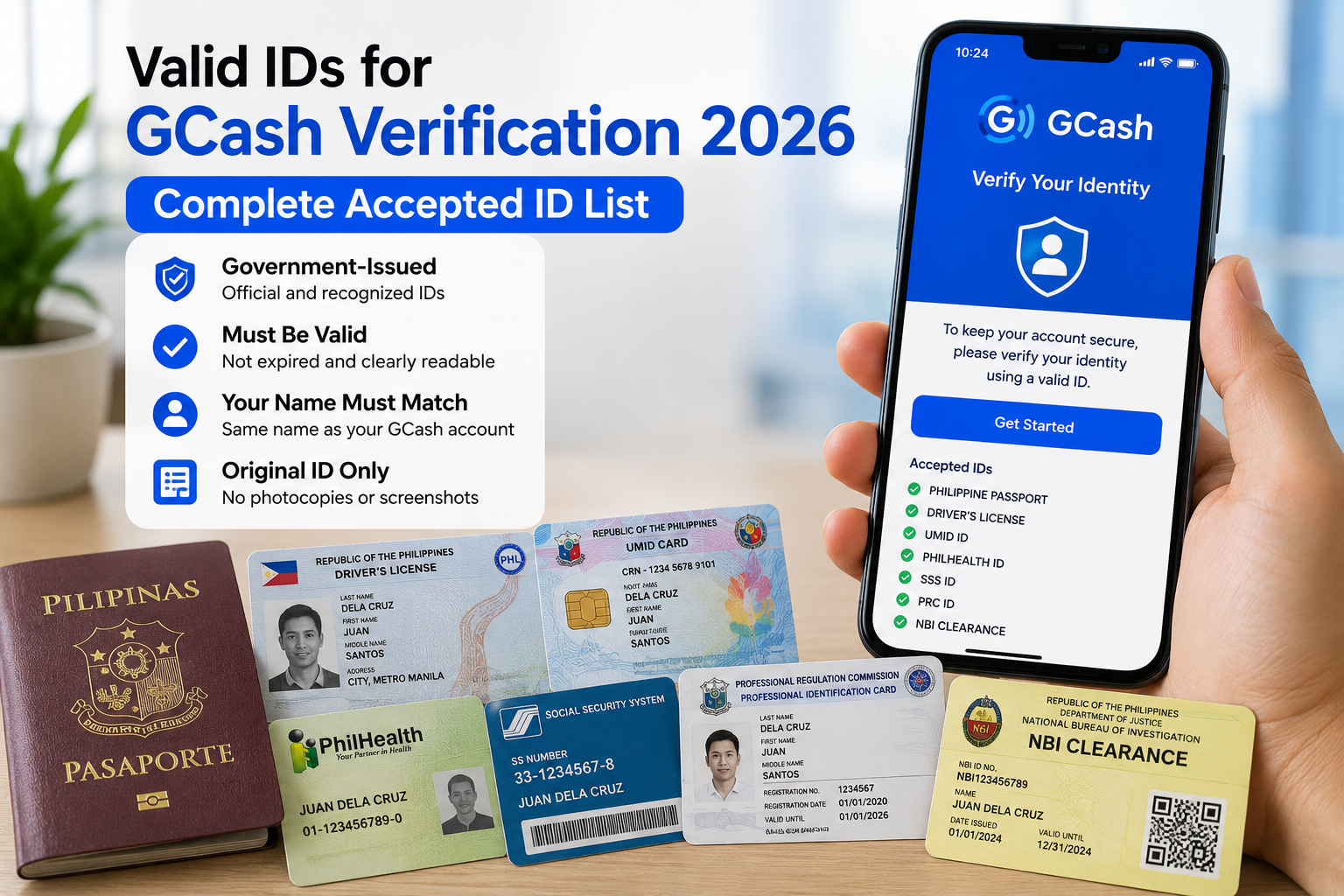
Quick answer: GCash accepts 8 valid IDs for full verification of Filipino adults: National ID (physical, paper ePhilID, or digital), Passport, HDMF (Pag-IBIG Loyalty Plus), Driver’s License, Postal ID, PRC ID, UMID, and SSS ID. You only need one valid government ID. The National ID is the only ID where GCash also accepts digital and paper copies — all others require the original physical card.
Getting fully verified on GCash unlocks everything — higher wallet limits, bank transfers, GCredit, GSave, GFunds, bill payments, and QR purchases. But the process starts with one question that trips up millions of Filipinos: which IDs does GCash actually accept?
This guide lists every valid ID for GCash verification in 2026, confirmed against the official GCash Help Center and BSP KYC requirements. It covers adults, minors (GCash Jr.), OFWs (GCash Overseas), and foreigners — plus exactly what to do if you have no valid ID at all.
⚠ Disclaimer: NationalIDDigital.ph is an independent guide not affiliated with GCash, Globe, or BSP. GCash may update its accepted ID list at any time. This guide was verified against the official GCash Help Center as of July 2026. Always check the GCash accepted IDs page for the latest list.
GCash Basic vs. Fully Verified — Why Verification Matters
Before looking at which IDs are accepted, it helps to understand what you are unlocking. GCash has two account tiers, and the difference is significant:
| Feature | Basic Account | Fully Verified Account |
|---|---|---|
| Monthly wallet limit | ₱8,000 | ₱100,000 |
| Send to bank | Not available | Available |
| GCredit | Not available | Available (if eligible) |
| GSave (savings) | Not available | Available |
| GFunds (investments) | Not available | Available |
| GInsure | Not available | Available |
| Bills payment | Limited | Full access |
| QR payments | Limited | Full access |
| ID required | None | 1 valid government ID |
To move from Basic to Fully Verified, you need exactly one valid government-issued ID and a live face scan through the GCash app. The entire process takes 5 to 10 minutes, and verification is usually confirmed within minutes to 24 hours.
Complete List of Valid IDs for GCash Verification (2026)
The following list is sourced directly from the GCash Help Center — Accepted IDs for GCash Verification. GCash groups accepted IDs by user type. Here is every ID for each category:
Filipino Adults (18+ with Philippine SIM)
| # | Valid ID | Issued By | Digital / Paper Accepted? | Notes |
|---|---|---|---|---|
| 1 | National ID (PhilID) | PSA (PhilSys) | Yes — card, paper ePhilID, and Digital National ID all accepted | The only ID where digital copies are accepted. Fastest to process. Step-by-step guide → |
| 2 | Philippine Passport | DFA | No — physical booklet only | Must be valid (not expired). Most widely recognised ID globally. |
| 3 | HDMF (Pag-IBIG Loyalty Plus) | Pag-IBIG Fund (HDMF) | No — physical card only | This is the Pag-IBIG Loyalty Plus card specifically, not the older Pag-IBIG ID. |
| 4 | Driver’s License | LTO | No — physical card only | Includes the BLTO (Bicol Land Transportation Office) variant. Must not be expired. |
| 5 | Philippine Postal ID | PHLPost | No — physical card only | Biometric card issued since 2016. One of the fastest IDs to obtain (3-5 business days). |
| 6 | PRC Professional ID | PRC | No — physical card only | For licensed professionals (engineers, nurses, teachers, accountants, etc.). |
| 7 | UMID | SSS / GSIS | No — physical card only | Unified Multi-Purpose ID. Combines SSS, GSIS, PhilHealth, and Pag-IBIG. |
| 8 | SSS ID | SSS | No — physical card only | The standalone SSS card (not the UMID). Must have photo and not be expired. |
Important: GCash requires the original physical card for all IDs except the National ID. Scanned copies, photocopies, xerox copies, and screenshots are not accepted. The National ID is the sole exception — GCash accepts the printed ePhilID paper and the Digital National ID from the eGovPH app in addition to the physical PVC card.
GCash Jr. — Minors (Ages 7-17 with Philippine SIM)
Minors can open a GCash Jr. account with parental consent. The accepted IDs are more limited:
| # | Valid ID | Notes |
|---|---|---|
| 1 | National ID (card, paper, or digital) | Can be the minor’s own PhilID if registered |
| 2 | Philippine Passport | Minor’s own valid passport |
| 3 | Student ID | Must have photo, student name, school name, and current school year |
| 4 | Alien Certificate of Registration (ACR) | For foreign minors residing in the Philippines |
Additional requirements for GCash Jr.: The parent or guardian must be a fully verified GCash user. You will need to submit a selfie of the parent holding the minor’s ID, plus a photo of the minor’s original PSA Birth Certificate.
GCash Overseas — OFWs and Filipinos Abroad
Filipino users abroad with a non-PH SIM card can verify through GCash Overseas using the same eight IDs accepted for domestic users:
National ID (card, paper, or digital) · Passport · HDMF (Pag-IBIG Loyalty Plus) · Driver’s License · Postal ID · PRC ID · UMID · SSS ID
OFW tip: The Digital National ID from the eGovPH app is the most convenient option for OFWs since it does not require your physical card. If you registered for PhilSys before leaving the Philippines, you can download your Digital National ID on your phone abroad and use it to verify GCash Overseas. Full OFW National ID guide →
Foreigners Residing in the Philippines (with PH SIM)
Foreign nationals living in the Philippines with a local SIM can verify using:
| Valid ID | Notes |
|---|---|
| Alien Certificate of Registration (ACR) | Issued by BI for registered foreign residents |
| Driver’s License | Philippine LTO-issued license |
| SRRV (Special Resident Retiree’s Visa) | Issued by the Philippine Retirement Authority |
| DFA Diplomat ID | For accredited diplomats and their dependents |
| DOLE Alien Employment Permit | For foreign workers with valid employment in PH |
GTourist — Foreign Visitors (30-day Stay)
Tourists visiting the Philippines for up to 30 days can use a GTourist account with their foreign passport as the sole accepted ID.
IDs That GCash Does NOT Accept for Verification
The following IDs are valid Philippine government documents, but they are not on GCash’s accepted list for full verification as of July 2026. If any of these are your only ID, see the “What if I have no valid ID” section below.
| ID | Why Not Accepted | Alternative |
|---|---|---|
| Voter’s ID / Voter’s Certification | Not on current GCash accepted list | Apply for National ID (free) or Postal ID (3-5 days) |
| TIN ID (BIR) | Older versions lack photo; not on list | Download Digital National ID via eGovPH app |
| PhilHealth ID / MDR | Not on current GCash accepted list | Use UMID (combines PhilHealth) or National ID |
| Barangay ID / Clearance | LGU-issued, not nationally standardised | Apply for National ID or Postal ID |
| Senior Citizen ID | LGU-issued, not on list | Use National ID, Passport, or UMID |
| Police Clearance | Expires in 6 months; not on list | Apply for National ID (lifetime validity) |
| NBI Clearance | Expires annually; not on GCash list | Use National ID, Passport, or Driver’s License |
| Company / Employment ID | Not government-issued | Apply for National ID (free) |
| School ID (adults) | Only accepted for GCash Jr. (minors) | Apply for National ID or Postal ID |
⚠ Common confusion: Many Filipinos assume the Voter’s ID, TIN ID, or PhilHealth card are accepted by GCash — they are not. These IDs are valid for other government transactions, but GCash specifically does not include them in its KYC verification list. If your only ID is one of these, your fastest path is to download the Digital National ID if you already registered for PhilSys, or apply for a Postal ID at your local post office (3 to 5 business days).
What If I Have No Valid ID for GCash Verification?
If you currently hold none of the eight accepted IDs, you have two practical paths — one fast (days) and one free (weeks):
Option 1 — Download the Digital National ID (Free, 4-8 Weeks)
If you have already completed your PhilSys Step 2 biometrics appointment but are still waiting for the physical card, you can download your Digital National ID right now through the eGovPH app. This is free, takes about 10 minutes, and the Digital National ID is fully accepted by GCash for verification — no physical card needed.
📲 How to download your Digital National ID →
If you have not yet registered for PhilSys at all, the process takes 4 to 8 weeks from registration to ePhilID availability. Registration is free.
📋 How to register for a National ID →
Option 2 — Get a Postal ID (₱504, 3-5 Business Days)
The Philippine Postal ID is the fastest physical government-issued ID to obtain in the country. Go to your nearest PHLPost branch with your PSA birth certificate and proof of address, pay ₱504, and the biometric card is typically released in 3 to 5 business days. Once you have it, open GCash and verify immediately.
Recommended path: If you need GCash verification today and already registered for PhilSys → download the Digital National ID (free, instant). If you have not registered for PhilSys → get a Postal ID first (3-5 days), then register for your National ID (free, lifetime) as your permanent primary ID.
GCash ID Requirements — What Makes an ID Acceptable
Having the right type of ID is not enough — GCash will reject your verification if the ID does not meet these requirements:
Valid and not expired. Check the expiration date on your card before submitting. Expired IDs are automatically rejected. The National ID has no expiration date — it is valid for life.
Not damaged and clearly readable. All text (name, date of birth, ID number) must be legible. Faded, scratched, cracked, or water-damaged cards will be rejected.
Original physical card. For all IDs except the National ID, you must scan the original physical card using the GCash app’s camera. Photocopies, xerox copies, scanned images, and screenshots are not accepted. The National ID is the only exception — the printed ePhilID and Digital National ID from eGovPH are also accepted.
Name must match your GCash account. The name on your ID must exactly match the name registered on your GCash account. If there is a mismatch (nickname vs. legal name, maiden name vs. married name), update your GCash registered name first or use an ID that matches.
How to Verify Your GCash Account — Step by Step
Once you have one of the eight accepted IDs ready, the verification process takes 5 to 10 minutes:
Step 1. Open the GCash app and tap your profile icon (top left) or go to Profile → Verify Now.
Step 2. Read the requirements and reminders, then tap Next.
Step 3. Enter the 6-digit authentication code sent to your registered mobile number.
Step 4. Confirm your birthday and citizenship, then tap Next.
Step 5. Select your ID type from the list. If using the National ID, choose “Philippine Identification System (PhilSys) ID” from the top of the list.
Step 6. Scan your ID. The app will open your camera — align your ID within the frame. Make sure all text is readable and there is no glare covering the QR code, photo, or printed information. For the ePhilID paper version, lay it flat on a dark surface for best results.
Step 7. Complete the face scan. Position your face inside the oval frame, remove masks, hats, and dark glasses, and follow the on-screen instructions (blink, turn head).
Step 8. Review and confirm your personal details — make sure they match your ID exactly — then tap Submit.
Step 9. Wait for verification. GCash’s automated system usually processes National IDs within 5 to 10 minutes. Other IDs may take up to 24 hours. You will receive a notification when your account is fully verified.
Pro tip: Use good lighting and a plain, dark background when scanning your ID. Avoid direct sunlight or overhead lights that create glare on the card surface. For the Digital National ID, export the image directly from the eGovPH app — do not use a screenshot of a screenshot.
GCash Verification Rejected? Common Reasons and Fixes
If your GCash verification was rejected, it is almost always one of these issues:
| Problem | Why It Happens | Fix |
|---|---|---|
| Blurry ID photo | Camera out of focus, hand movement, or low resolution | Hold phone steady, use both hands, ensure good lighting. Clean your camera lens. |
| Glare on card | Room light reflecting off the shiny PVC surface | Tilt the card slightly or move to indirect lighting. Avoid direct sunlight and overhead fluorescent lights. |
| Expired ID | GCash rejects any expired document automatically | Use a different, non-expired ID. The National ID has no expiration date. |
| Name mismatch | Name on ID does not match GCash registered name | Update your GCash profile name to match your ID, or use an ID that matches your current GCash name. |
| Face scan failed | Poor lighting, accessories, or face not matching ID | Remove masks, hats, and glasses. Use a well-lit room. Look directly at the camera. |
| Photocopied ID submitted | Only original physical cards accepted (except National ID) | Use the original card. If you only have a copy, switch to the Digital National ID via eGovPH app. |
| ePhilID screenshot rejected | GCash needs the exported file, not a screenshot | Open the eGovPH app → tap your Digital National ID → use the share/export function to save as image or PDF. |
| “Account already verified” error | Another GCash account is already linked to this ID | One ID can only be linked to one GCash account. Contact GCash support via the app’s Help section. |
| Stuck on “Pending” for days | High verification volume or system backlog | Wait 72 hours. If still pending, submit a ticket through GCash app → Help → Contact Us. |
If your verification keeps getting rejected after multiple attempts, try using a different accepted ID. The National ID (digital format) has the highest success rate because GCash’s system is specifically optimised for PhilSys verification.
GCash vs. Maya — ID Acceptance Comparison
If you also use Maya (formerly PayMaya), the accepted ID lists are similar but not identical:
| ID | GCash | Maya |
|---|---|---|
| National ID (all formats) | ✓ Accepted | ✓ Accepted |
| Passport | ✓ Accepted | ✓ Accepted |
| Driver’s License | ✓ Accepted | ✓ Accepted |
| UMID | ✓ Accepted | ✓ Accepted |
| SSS ID | ✓ Accepted | ✓ Accepted |
| Postal ID | ✓ Accepted | ✓ Accepted |
| PRC ID | ✓ Accepted | ✓ Accepted |
| HDMF / Pag-IBIG | ✓ Accepted | Check Maya app |
| Voter’s ID | ✗ Not accepted | Check Maya app |
| PhilHealth ID | ✗ Not accepted | Check Maya app |
Both platforms accept the Digital National ID, making it the most versatile single ID for e-wallet verification in the Philippines. Full Maya verification guide →
Frequently Asked Questions — GCash Valid IDs
What are the valid IDs for GCash verification in 2026?
GCash accepts eight valid IDs for full verification of Filipino adults with a PH SIM: (1) National ID — physical card, paper ePhilID, or Digital National ID, (2) Philippine Passport, (3) HDMF / Pag-IBIG Loyalty Plus card, (4) LTO Driver’s License, (5) Philippine Postal ID, (6) PRC Professional ID, (7) UMID, and (8) SSS ID. You only need one valid ID to get fully verified.
Can I verify GCash without a valid ID?
No. GCash requires at least one valid government-issued ID for full KYC verification as mandated by the Bangko Sentral ng Pilipinas (BSP). If you do not have any of the eight accepted IDs, the fastest option is to download the Digital National ID through the eGovPH app — it is free and can be obtained in 4 to 8 weeks after PhilSys registration. You can also apply for a Postal ID at your local post office (3 to 5 business days).
Does GCash accept the Digital National ID or ePhilID?
Yes. GCash accepts all three formats of the Philippine National ID: the physical PVC card, the printed ePhilID on paper, and the Digital National ID from the eGovPH app. The National ID is the only document where GCash accepts digital or paper copies — for all other IDs, you must scan the original physical card.
Why was my GCash verification rejected?
Common reasons for GCash verification rejection include: blurry or glare-covered ID photo, expired ID, name mismatch between GCash account and ID, damaged or unreadable card, using a screenshot instead of scanning the physical ID, face scan failure due to poor lighting or accessories, or uploading a photocopy or scanned image (only the National ID is exempt from the physical-card requirement). Resubmit with a clean, well-lit photo of the original ID and ensure your registered name matches exactly.
What valid ID can a minor use for GCash Jr. verification?
For GCash Jr. accounts (ages 7 to 17), GCash accepts the National ID (card, paper, or digital), Philippine Passport, or a valid School ID. The parent or guardian must be a fully verified GCash user and will need to submit a selfie holding the minor’s ID along with a copy of the minor’s PSA Birth Certificate.
Can OFWs verify GCash from abroad?
Yes. Filipino users abroad can verify through GCash Overseas using the same eight IDs accepted for domestic users: National ID, Passport, HDMF card, Driver’s License, Postal ID, PRC ID, UMID, or SSS ID. You need a non-PH SIM card registered to a supported country. The Digital National ID from the eGovPH app is particularly convenient for OFWs since it does not require the physical card.
Is the Voter’s ID accepted for GCash verification?
No. As of 2026, the Voter’s ID and Voter’s Certification are not included in GCash’s list of accepted valid IDs for verification. If the Voter’s ID is your only government ID, your fastest alternatives are to download the Digital National ID via the eGovPH app (free, 4-8 weeks after registration) or apply for a Postal ID at your local post office (3-5 business days).
What is the difference between GCash Basic and Fully Verified accounts?
A Basic GCash account has a monthly wallet limit of ₱8,000 and cannot access savings (GSave), credit (GCredit), investment (GFunds), or insurance products. A Fully Verified account raises the monthly limit to ₱100,000 and unlocks all GCash financial services including bank transfers, bill payments, QR payments, and the full GCash ecosystem. Full verification requires one valid government ID and a live face scan.