- Eligibility and Priority Status
- Priority Lane Access at Registration Centers
- Home and Mobile Registration for PWDs
- Biometric Exemptions and Accommodations
- Documents to Bring
- PWD ID vs National ID — What's the Difference?
- Using ePhilID for PWDs
- Which Registration Option Is Right for You?
- Frequently Asked Questions
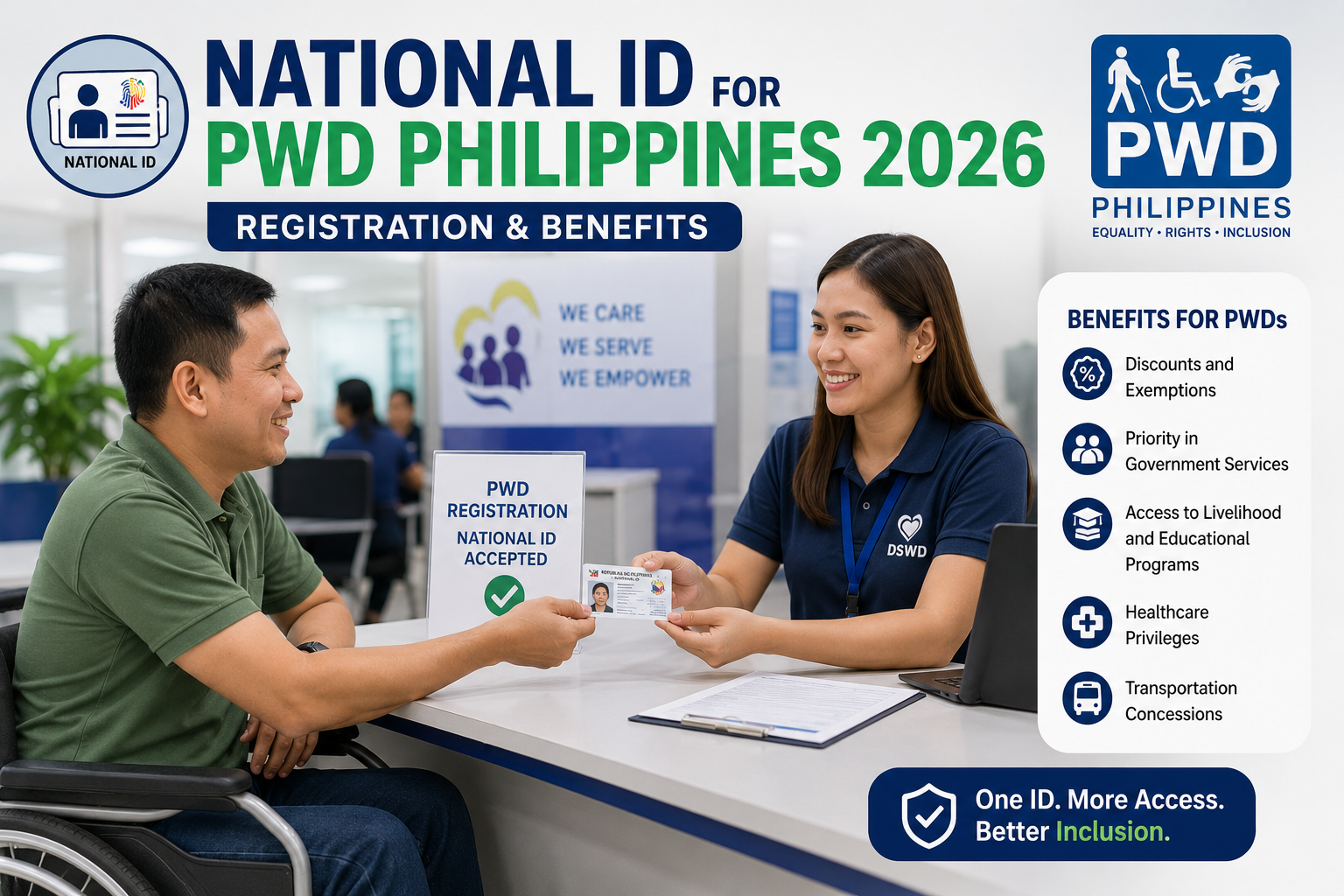
Persons with disability (PWDs) in the Philippines are not only eligible to register for the PhilSys National ID — they’re a priority group under PSA’s registration program, with specific accommodations built into the process for those who need them. That includes priority lanes at registration centers, a home and mobile registration option for those who can’t travel, and biometric exemption guidelines for PWDs who are missing fingers, have visual impairments, or cannot physically complete standard biometric capture.
This guide covers everything specific to PWD registration: what accommodations exist, how to access them, what to bring, and how the National ID intersects with your existing PWD ID and Persons with Disability Identification Card benefits.
✅
PWDs can register for a National ID with priority lane access at PSA centers, or through home/mobile registration for those who cannot travel. Missing or non-functional digits, visual impairment, and other physical conditions have documented biometric exemption procedures — no PWD is turned away solely because standard biometric capture isn’t possible for them.
Eligibility and Priority Status
All Filipino citizens with a disability are eligible to register for the National ID under the same legal framework as all other citizens (Republic Act 11055). What differs is how registration is carried out — PSA recognizes PWDs as a priority group, which means:
- Priority lane access at registered PhilSys registration centers
- Eligibility for home/mobile registration where in-person attendance is not feasible
- Biometric capture accommodations for specific disability types
- Assistance from a companion or caregiver is explicitly allowed during the registration process
You do not need to already hold a PWD ID from your local PDAO (Persons with Disability Affairs Office) in order to register for a National ID — though having one makes document requirements easier to satisfy.
Priority Lane Access at Registration Centers
Most PhilSys registration centers operate a dedicated priority lane for PWDs, senior citizens, and pregnant women. This means you don’t queue with the general population from the start.
ℹ️
Upon arrival at a registration center, approach the information or reception desk rather than joining the general queue. Inform staff that you’re a PWD registrant. You’ll be directed to the priority lane — you may or may not need to show your PWD ID, depending on the branch. If you don’t yet have a PWD ID, a visible disability or your companion’s explanation is generally sufficient.
Priority lane availability can vary by center and time of day. For centers with very high volume, it’s worth arriving early and confirming the lane is operational before settling in. Use our PhilSys registration center locator to find the center nearest to you and check for any accessibility notes.
Home and Mobile Registration for PWDs
For PWDs who cannot physically travel to a registration center — due to mobility impairment, being bedridden, relying on equipment that can’t easily be transported, or other barriers — PSA’s mobile registration program is available.
Who Qualifies for Home Registration
- PWDs who are bedridden or cannot leave their home without significant medical risk
- Wheelchair users or those with mobility impairments who lack accessible transport to a registration center
- PWDs with conditions that make extended waiting or travel medically inadvisable
- PWDs who are also senior citizens and face compounded mobility barriers
How to Request a Home Visit
- Contact your barangay’s PWD Affairs Coordinator or Social Welfare Officer. They are the primary point of contact for requesting PSA mobile registration.
- The barangay coordinates with the local PSA office or registration team to schedule a home visit — typically as part of a community mobile registration sweep, though individual requests are also accommodated based on urgency.
- PSA registration staff will arrive with portable biometric equipment (camera, fingerprint scanner) and process your registration on-site.
- The same standard documents apply (see Section 4) — prepare them in advance so the visit goes smoothly.
⚠️
Mobile registration schedules depend on PSA’s regional capacity and existing community sweep calendar. Request as early as possible rather than waiting until the schedule is needed — some areas have waiting periods of several weeks.
Biometric Exemptions and Accommodations
This is the section most PWD guides skip, and it’s the most important one for many registrants. PSA has established protocols for PWDs who cannot complete standard biometric capture — they’re not commonly publicized but they exist.
Missing or Non-Functional Fingers
If a registrant is missing fingers or has non-functional fingers due to disability, amputation, or injury, PSA staff are trained to capture whatever fingerprints are available and annotate the record accordingly. You will not be turned away or have your registration rejected simply because all ten fingerprints can’t be captured.
- Present available fingers — staff will capture what they can
- If no fingerprints can be captured on one or both hands, this is documented in your record and the registration proceeds using other biometric identifiers (iris, photo)
- Inform the registration staff of your situation before starting biometric capture so they can flag the record correctly
Visual Impairment
For registrants who are blind or have severe visual impairment:
- Iris scan may still be captured and will reflect the actual condition — this is not a barrier to registration
- A companion or caregiver can assist with reading forms and navigating the registration process
- Staff assistance with form-filling is available upon request
Physical Conditions Affecting Biometric Capture
Conditions such as severe burn injuries, skin conditions affecting fingerprint quality, or inability to hold the required position for photo capture all have accommodations available at the discretion of the registration team. The key is to communicate with staff in advance rather than attempting standard capture and failing repeatedly.
ℹ️
While not strictly required, bringing your medical certificate or PWD ID that references your specific disability helps registration staff quickly identify and apply the correct accommodation protocol — it avoids delays caused by staff needing to consult supervisors about non-standard cases.
Documents to Bring
PWD registrants follow the same document requirements as all other applicants, with some practical notes specific to this group.
| Document | Notes for PWDs |
|---|---|
| PWD ID (PDAO-issued) | Accepted as a primary valid ID for registration — if you have one, bring it |
| PSA birth certificate | Most reliable supporting document if you have no other valid ID |
| Any other government-issued ID | Passport, UMID, Voter’s ID, etc. — bring whatever you have |
| Medical certificate referencing disability | Not required but helpful for biometric accommodation requests |
| Authorization letter (if companion is handling documents) | Companion can assist but the PWD registrant must still be present for biometric capture |
If you have no documents at all, approach the registration staff or barangay office before your appointment to discuss alternative identity verification — PSA has a process for this and registration is not automatically denied for lack of documents.
PWD ID vs National ID — What’s the Difference?
Similar to the OSCA card for seniors, the PWD ID and the National ID serve different purposes and the National ID does not replace the PWD ID for disability-specific benefits.
| Use Case | National ID | PWD ID (PDAO) |
|---|---|---|
| 20% PWD discount on goods/services | ❌ Not accepted alone | ✅ Required |
| VAT exemption on qualifying purchases | ❌ Not accepted alone | ✅ Required |
| Priority lane access (government offices) | ✅ Generally accepted | ✅ Accepted |
| Bank account opening (KYC) | ✅ Preferred primary ID | ✅ Also accepted |
| Passport application | ✅ Accepted as primary | ✅ As supporting ID |
| SSS, PhilHealth, Pag-IBIG transactions | ✅ Accepted | ✅ Accepted |
| Telecom/SIM registration | ✅ Accepted | ✅ Accepted |
⚠️
The 20% PWD discount and VAT exemption under Republic Act 10754 require a PDAO-issued PWD ID specifically. Your National ID is a general identity document and does not trigger these entitlements on its own. Carry both.
Using ePhilID for PWDs
The ePhilID (digital National ID via PhilSys or eGovPH) is particularly useful for PWDs who may find it harder to carry multiple physical cards. Once you’ve registered and your record is verified, the ePhilID can be:
- Saved to a smartphone and shown on-screen for most identity verification transactions
- Printed on regular paper as a carry document — useful for PWDs who don’t use a smartphone or whose caregivers manage their documents
- Used for online identity verification (bank KYC, e-wallet, SIM registration) while waiting for the physical card to arrive
For step-by-step instructions on downloading or printing the ePhilID, see our SSS Contribution Table guide.
Which Registration Option Is Right for You?
Use this quick check to identify the most appropriate registration path based on your situation.
function update(){ var any = q1.checked || q2.checked || q3.checked || q4.checked; if (!any) { result.style.display='none'; return; }
result.style.display = 'block'; var lines = [];
if (q2.checked) { result.style.background = 'rgba(26,77,183,0.07)'; result.style.border = '1px solid rgba(26,77,183,0.2)'; result.style.color = 'var(--navy)'; lines.push('→ Request home/mobile registration through your barangay\'s PWD Affairs Coordinator or Social Welfare Officer. PSA will schedule a home visit with portable biometric equipment.'); } else if (q1.checked) { result.style.background = 'rgba(26,122,69,0.08)'; result.style.border = '1px solid rgba(34,160,90,0.25)'; result.style.color = '#1a7a45'; lines.push('→ Visit a registration center and use the priority lane. Inform reception staff on arrival that you\'re a PWD — you\'ll be directed to the priority queue without needing to wait in the general line.'); }
if (q3.checked) { lines.push('→ Biometric accommodation needed: Inform registration staff before biometric capture begins. PSA will capture available fingerprints and annotate the record — you will not be turned away. Bring your PWD ID or medical certificate if you have one.'); }
if (q4.checked) { lines.push('→ Visual impairment accommodation: A companion can assist with forms and navigation. Iris scan will proceed and reflect your actual condition — this is not a barrier to registration. Staff assistance is available on request.'); }
result.innerHTML = lines.join('
'); }
[q1, q2, q3, q4].forEach(function(el){ el.addEventListener('change', update); }); })();
Frequently Asked Questions
Can PWDs register for the National ID?
Yes. PWDs are a priority group under the PhilSys registration program and are eligible for the same National ID as all Filipino citizens, with specific accommodations for accessibility needs.
Does PSA offer home registration for PWDs who can’t travel?
Yes. PSA’s mobile registration program covers PWDs who are bedridden, have severe mobility impairments, or otherwise cannot travel to a registration center. The request is made through your barangay’s PWD Affairs Coordinator or Social Welfare Officer.
What if I’m missing fingers — can I still register?
Yes. PSA staff are trained to capture whatever fingerprints are available and annotate the record for missing or non-functional digits. Registration proceeds using other biometric identifiers where needed. Inform staff before biometric capture starts.
Do I need a PWD ID to apply for a National ID?
No. Your PDAO-issued PWD ID can help with document verification during registration, but it’s not required. You can register with any valid supporting document, including a birth certificate alone if that’s all you have.
Does the National ID replace the PWD ID for discount privileges?
No. The 20% PWD discount and VAT exemption under RA 10754 still require your PDAO-issued PWD ID specifically. The National ID is a general-purpose ID and does not trigger these benefits on its own. Keep both.
Can a companion or caregiver help a PWD register?
Yes. A companion can assist with forms, navigation, and communication during registration. The PWD registrant still needs to be present in person for biometric capture, but a companion can handle everything around it.
Is there a priority lane for PWDs at PhilSys registration centers?
Yes, most registration centers operate a priority lane for PWDs, seniors, and pregnant women. Inform the reception or information desk on arrival rather than joining the general queue.
Can a blind person or someone with low vision register for a National ID?
Yes. Iris scans will reflect the actual condition and are not a barrier to registration. Companion assistance is allowed, and staff can help with form-filling upon request.
What documents should a PWD bring to registration?
Your PWD ID (if you have one), a PSA birth certificate, and any other government-issued ID you hold. A medical certificate referencing your disability is optional but helpful for biometric accommodation requests.
Can the ePhilID be used instead of the physical National ID card for a PWD?
Yes for most transactions — the ePhilID has the same legal validity as the physical card. It can be shown on a smartphone or printed on regular paper, which can be easier for PWDs who find it difficult to carry multiple physical cards.
Also in this series: National ID for Senior Citizens · National ID for Minors · National ID for Overseas Filipinos