✓ Last reviewed & updated July 26, 2026  ·  Sourced from official PSA.gov.ph & PhilSys.gov.ph  ·  ⚠ Independent guide — not affiliated with PSA


National ID Tracking Not Working? Here’s What to Check

Practical reasons & solutions for PhilSys tracking issues.


Important: NationalIDDigital.ph is an independent information site. We are not affiliated with the Philippine Statistics Authority (PSA), PhilSys, PHLPost, or any Philippine government agency. Always verify critical details with the PSA directly.

Quick Answer

National ID tracking not working? The most common causes are: entering an incorrect Transaction Reference Number (TRN) or PhilSys Common Reference Number (CRN), checking too early before your record has been processed, temporary server downtime on the PSA or PHLPost portals, or your card simply not being at the delivery stage yet. Double-check your reference number character by character on the correct portal. If the portal is down, wait a few hours and try again.

Why Is National ID Tracking Not Working?

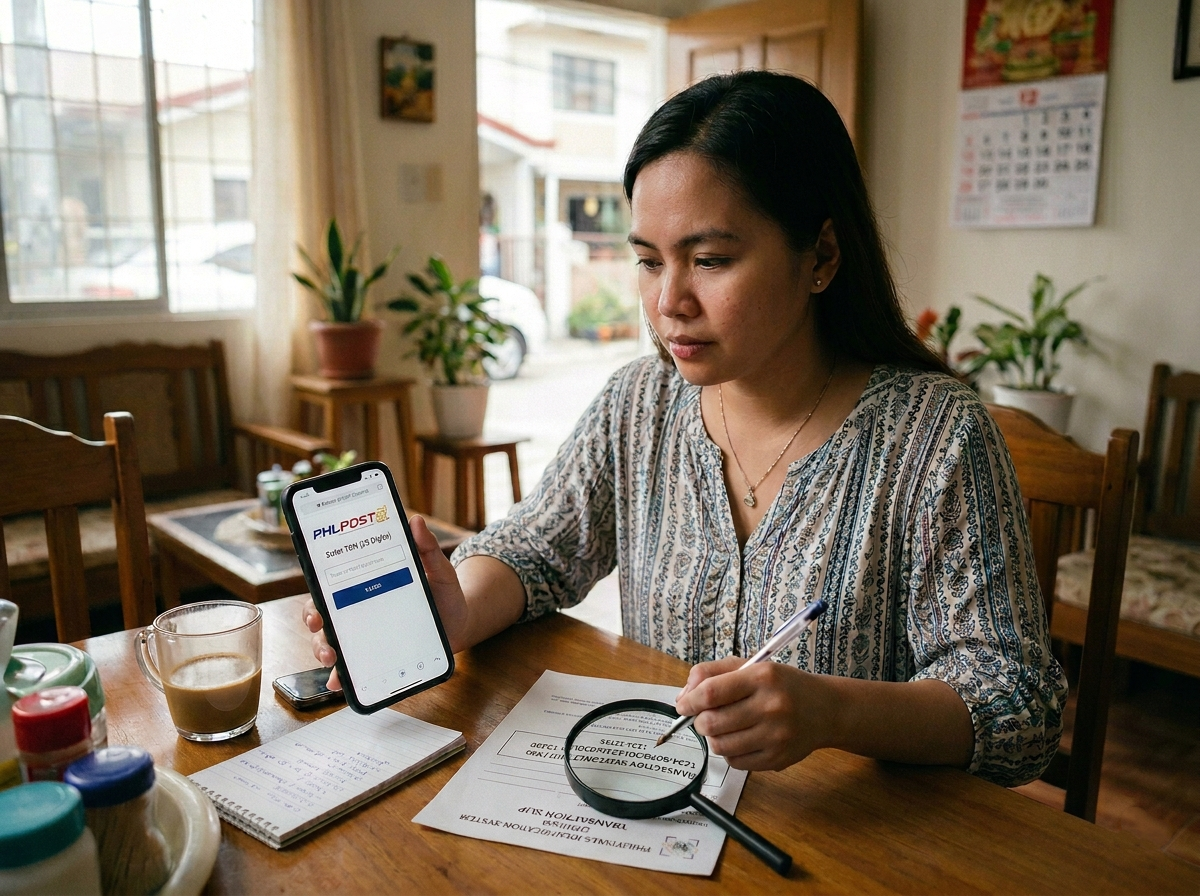
1. Incorrect reference numberHandwritten characters like “0” and “O”, “1” and “l”, or “5” and “S” are easy to confuse. One wrong digit returns no result.

2. Record not yet uploadedAfter Step 2 biometrics, data is batch-uploaded. It can take weeks before your record appears in the central PhilSys Registry.

3. PSA or PHLPost portal downtimePeak hours (weekdays 9AM–3PM PH time) often cause timeouts or blank pages due to server overload.

4. Wrong tracking portalPSA portal (TRN/CRN) tracks printing & handoff. PHLPost tracks delivery with a separate tracking number sent via SMS.

5. Card not yet at printing/dispatch stageStatus only appears after specific milestones. A blank or generic status often means still in queue.

6. Browser or device issuesOlder browsers, cached pages, or slow connections can mimic tracking failures. Try a different device.

Check Your National ID Tracking Information

  • Locate your transaction slip – the paper from Step 2 with your TRN/CRN. eGovPH app users may find it digitally.
  • Copy the reference number exactly. Watch for 0/O, 1/l, 5/S, and dashes or spaces.
  • Use the correct portal for the correct number. TRN/CRN → PSA PhilSys portal. PHLPost tracking number (SMS) → PHLPost site. See our National ID tracking guide.
  • Try a different browser or device. Clear cache, switch between Chrome/Safari/Firefox, or toggle WiFi/mobile data.

National ID Tracking Shows No Result

If you’ve entered the correct number and the portal returns nothing, these are the most likely reasons:

  • Record hasn’t been uploaded yet – common within first weeks/months after Step 2.
  • Registration centre backlog – remote provinces or high-volume urban centres may delay uploads.
  • Data entry issue – rare, but a mistyped name or TRN digit can cause mismatch.
  • Portal outage – try early morning or late evening (Philippine time).

If none apply, see the “What to Do” section below.

Tracking Status Has Not Updated

Status visible but stuck for weeks? Understand these points:

  • Updates happen at milestones only – not real-time. 4–8 weeks without change is not unusual.
  • “In Process” / “For Printing” can last months due to batch production queues.
  • “Dispatched” means handed to PHLPost – delivery still takes weeks. Look for an SMS with a parcel tracking number. Check PhilPost National ID tracking.
  • Unrecognised status labels? Visit National ID delivery status meanings.

What to Do If You Still Cannot Track Your National ID

Try off-peak hours – before 8 AM or after 7 PM PH time, or weekends.
Contact the PSA – via official hotline, email (psa.gov.ph), or social media. Have your TRN and appointment details ready.
Visit your registration centre – bring transaction slip and valid ID. They may check local records.
Check if card was returned to sender – contact local post office or PHLPost if delivery may have failed.


National ID problem-solving guide

When Should You Follow Up?

  • Less than 3 months: No result yet is often normal. Too early to escalate.
  • 3–6 months: Should see some status. If completely blank, contact PSA or centre.
  • 6–12 months: No progress? Follow up to confirm card isn’t stalled.
  • More than 12 months: Active follow-up advised. Visit centre, escalate.

Check delivery time estimates: how long National ID delivery takes.


Frequently Asked Questions

Why does the PhilSys tracking portal say “no record found”?
Usually your record isn’t uploaded yet (weeks/months after Step 2) or a typo in the reference number. Double-check character by character.
Can I track using my name instead of a reference number?
No. Only TRN or CRN works. If lost, visit your registration centre with a valid ID to retrieve it.
Is the PSA tracking portal the same as PHLPost?
No. PSA tracks production/handoff; PHLPost tracks courier delivery. Different numbers required. Guide here.
Status hasn’t changed in two months — what does it mean?
Likely still in the same processing stage (print queue). Updates occur at stage changes only. Understand your status.
“Dispatched” but no card received. What now?
Use the PHLPost tracking number from SMS on the PHLPost site. If missing, contact local post office. See PhilPost tracking steps.
I lost my transaction slip. Can I still track?
If you saved TRN/CRN digitally, yes. Otherwise visit the registration centre with a government ID to recover the number.
Should I register again if tracking isn’t working?
No. Re-registering creates duplicate records and complications. Follow up with PSA or your centre instead.


PhilSys Guide Writer · National ID Digital Editorial Team

An independent writer dedicated to making the Philippine National ID (PhilSys) system easy to understand for every Filipino. All guides are cross-checked against official PSA and PhilSys public documents before publishing. Content is updated regularly after every PSA announcement.

✓ Fact-checked 📖 PSA-sourced ⚠ Not affiliated with PSA ✉ contact@nationaliddigital.ph 🌐 About Our Team
⚠️
Disclaimer This is an independent guide not affiliated with the PSA, PhilSys, or any Philippine government agency. All information is based on publicly available official sources. Always verify with PSA.gov.ph or PhilSys.gov.ph before taking action.