
- What Makes the Digital National ID Legally Valid?
- Is the Philippine National ID a Valid ID? (Government Confirmation)
- Where Is the Digital National ID Accepted in 2026?
- How to Check If Your National ID Is Authentic: QR Verification
- How to Get Your Digital National ID (Online Registration Appointment)
- List of Countries With Digital ID in 2026: Global Context
- Frequently Asked Questions (FAQs)
If you have ever wondered, “Is the digital National ID valid?” — the answer is a clear and definitive yes. The Philippine digital National ID is a fully legal, government-issued identification document that is accepted across hundreds of public and private institutions in 2026. Whether you are at a bank counter, an airport check-in, a government office, or a GCash verification screen, your digital ID holds the same legal weight as the physical plastic card.
In this guide, we break down exactly where the national id digital copy is valid, how it is verified, and what the law says about institutions that refuse to accept it — so you can use your digital ID with total confidence.

Is the Digital National ID Valid Where It’s Accepted in 2026
What Makes the Digital National ID Legally Valid?
The digital national ID is issued by the Philippine Statistics Authority (PSA) under the Philippine Identification System (PhilSys), established by Republic Act 11055. This law explicitly states that the PhilSys ID — in both its physical (plastic card) and digital (ePhilID / eGovPH app) forms — is a valid government-issued identification card.
The Implementing Rules and Regulations (IRR) of RA 11055 further clarify that no entity, whether public or private, may refuse to accept the PhilSys ID as proof of identity. This means that a bank, school, hospital, or private company that rejects your national id digital copy is acting in violation of Philippine law.
Key features that ensure its legal standing include:
- QR Code Verification: Each digital ID contains a unique, encrypted QR code that links directly to the official PhilSys database. Scanning it via the PhilSys QR scanner confirms the ID’s authenticity in real time.
- Biometric Linkage: Your digital ID is tied to your biometrics (fingerprint and iris data) captured during registration, making it virtually impossible to forge.
- Dynamic Security: Unlike a static photocopy, the digital version via the eGovPH app is a live document — it cannot be printed and reused fraudulently by another person.
Is the Philippine National ID a Valid ID? (Government Confirmation)
Yes. The PSA has officially confirmed that the Philippine National ID is a valid ID — one of the most powerful and universally accepted primary IDs in the country. Because it is backed by RA 11055, it ranks above many other government IDs (such as barangay IDs or company IDs) in terms of legal recognition and acceptance.
In the context of the Philippine ID system, the National ID is classified as a primary, standalone government ID — meaning a single National ID is sufficient proof of identity for nearly any transaction. You do not need to present a secondary ID alongside it.
Where Is the Digital National ID Accepted in 2026?
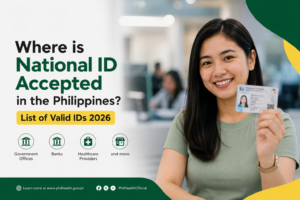
The digital national ID is accepted across all major sectors in the Philippines. Here is a comprehensive breakdown:
1. Government Agencies and Public Services
All national government agencies (NGAs), local government units (LGUs), and government-owned and controlled corporations (GOCCs) are mandated to accept the digital National ID. This includes:
- SSS, GSIS, PhilHealth, Pag-IBIG: For loan applications, benefit claims, and membership verification.
- Bureau of Immigration: For travel document processing and identity verification.
- Land Transportation Office (LTO): For driver’s license applications and renewals.
- BIR: For TIN registration, tax filing, and transactions requiring identity verification.
- National ID Registration: Your existing digital ID can serve as a supporting document if you are assisting a family member register through the national id registration process.
- Barangay offices, municipal halls, and city hall: For certificates, permits, and community-level transactions.
- DFA (Department of Foreign Affairs): For passport applications and renewals, the digital National ID is accepted as a primary supporting document.
2. Banks and Financial Institutions
Opening a bank account is one of the most common use cases for your national id digital copy. All BSP-regulated financial institutions are required to accept it for Know Your Customer (KYC) and account-opening purposes. This covers:
- Major commercial banks (BDO, BPI, Metrobank, UnionBank, Landbank, DBP, and more)
- Rural and cooperative banks
- Digital banks (Tonik, Maya Bank, GoTyme, and others)
- Microfinance institutions
Simply present your digital ID on your smartphone screen (or a printed ePhilID) to the bank teller or upload a photo of it through an app’s online KYC process.
3. E-Wallets and Digital Finance (GCash, Maya, ShopeePay)
The digital national ID is accepted for full verification (upgrading from a semi-verified to a fully verified account) on all major e-wallets in the Philippines:
- GCash: Upload a clear photo of your digital ID (screenshot or ePhilID PDF) to unlock higher wallet limits and full GCash features. Read our guide on using your National ID for GCash verification for the step-by-step process.
- Maya (formerly PayMaya): The National ID is a primary accepted document for Maya account verification.
- ShopeePay, GrabPay, and other e-wallets: Also accept the digital National ID for identity verification.
4. Airports and Travel
The digital National ID is accepted for domestic air travel identification in the Philippines. Both NAIA and regional airports accept it as a valid boarding document when presented on your smartphone screen or as a printed copy. For international travel, your Passport remains the required document, but your digital National ID can be used as a supporting ID at check-in counters.
5. Private Companies, Schools, and Healthcare
Beyond government and banking, the digital National ID is accepted in a wide range of private sector transactions:
- Schools and Universities: For enrollment, scholarship applications, and student registration.
- Hospitals and Clinics: For patient registration, PhilHealth claims, and medical records.
- Retailers and Supermarkets: For senior citizen discounts (when combined with a senior citizen card), PWD discounts, and age verification for alcohol or tobacco purchases.
- Telcos (Smart, Globe, DITO): For SIM registration, plan applications, and identity verification.
- Employment and HR: For pre-employment background checks and onboarding documentation.
How to Check If Your National ID Is Authentic: QR Verification
If an establishment wants to verify your national id digital copy, they do not need a special machine. Anyone can verify it using the official PhilSys QR code scanner:
- Go to the official PhilSys website.
- Look for the QR Code Verification option on the site.
- Use a smartphone camera to scan the QR code displayed on your digital ID (either on screen or printed).
- The system will return a confirmed match of your name and photo from the official PhilSys database — confirming the ID is authentic.
This is how you — or any institution — can check national ID online for authenticity without needing specialized equipment. It works 24/7 and is free to use.
How to Get Your Digital National ID (Online Registration Appointment)
If you are not yet registered, here is how to start the process. The national id registration online appointment system allows you to schedule your in-person biometric capture from home:
- Visit register.philsys.gov.ph — the official national id registration online portal (also known as register philsys gov ph national id online registration).
- Complete Step 1: Fill in your demographic information (name, address, birthday, etc.).
- Choose a convenient national id registration online appointment slot at a PhilSys registration center near you.
- Attend your appointment for biometric capture (photo, fingerprint, iris scan).
- Receive your Transaction Reference Number (TRN) acknowledgment slip.
- Once processed, access your digital ID via the eGovPH app. Learn how in our guide on how to download your national ID digital copy.
Already registered but unsure of your status? Learn how to check your national ID online via the official PSA portal using your TRN or registered mobile number.
List of Countries With Digital ID in 2026: Global Context
The Philippines is not alone in embracing digital identification. The list of countries with digital ID continues to grow rapidly in 2026. Over 80 nations now offer some form of government-recognized digital ID, including:
- European Union: Under eIDAS 2.0, EU citizens can use a universal Digital Identity Wallet accepted across all member states for banking, travel, and government services.
- Singapore: The Singpass app functions as the primary digital national ID, used for tax filings, healthcare, and private services.
- Australia: The Digital ID Act 2024 established a national digital identity framework across federal and state agencies.
- United States: Several states issue mobile driver’s licenses (mDLs) accepted at TSA checkpoints and participating retailers.
- Estonia: A global pioneer in digital identity, with e-residents and citizens using digital IDs for nearly 99% of all government services.
The Philippines’ PhilSys digital ID aligns with this global shift, positioning Filipino citizens to participate in cross-border digital services in the future.
Frequently Asked Questions (FAQs)
Can a digital National ID be accepted?
Yes. The digital National ID — whether displayed on the eGovPH app or as a printed ePhilID — is a fully legal government-issued ID under Republic Act 11055. All public and private institutions in the Philippines are legally required to accept it. Refusing a valid digital National ID is a violation of Philippine law.
Is Philippine National ID a valid ID?
Absolutely. The Philippine National ID (PhilSys ID) is one of the most legally powerful valid IDs in the country. It is issued by the PSA and mandated by RA 11055, making it a primary government ID accepted across banks, government agencies, schools, hospitals, e-wallets, and private companies.
What is the most powerful valid ID in the Philippines?
The Philippine National ID is widely considered the most powerful valid ID in the Philippines for domestic transactions. It is the only ID backed by a law (RA 11055) that mandates universal acceptance across all sectors. A Passport may be required for international travel, but for everyday Philippine transactions, the National ID holds the highest enforceability.
How can I check my national ID online?
You can check your National ID registration and delivery status at the official PSA PhilSys portal (nationalid.gov.ph). Enter your Transaction Reference Number (TRN) or registered mobile number to see your current status. Once your ID is ready, access and view it directly through the eGovPH app.
How to get a digital National ID?
To get your digital national ID, you must first complete your PhilSys registration at an official center. Once registered and your card is processed, download the eGovPH app, create an account, link your PhilSys record via your mobile number or TRN, and complete the face scan. Your digital ID will appear instantly. See our full guide on how to download your national ID digital copy.
Is the digital national ID accepted by banks for account opening?
Yes. All BSP-regulated banks in the Philippines are required to accept the digital National ID (or a printed ePhilID) for account opening, loan applications, and other KYC-required transactions. You can present it on screen at the branch or upload a photo of it during online bank onboarding.
What is the national id registration online appointment process?
The national id registration online appointment is completed through the official PhilSys registration portal at register.philsys.gov.ph. You fill in your demographic information online (Step 1) and book a slot at a nearby PhilSys registration center. Your biometrics are captured in person at your appointment. After processing, your digital ID becomes available via the eGovPH app.
Is it safe to show my digital National ID on my phone screen?
Yes. Showing your digital National ID on screen is safe and recommended. The display in the eGovPH app is secured by your app PIN or biometric authentication. The QR code shown is encrypted and can only be verified through the official PhilSys scanner — it cannot be used by a bad actor to impersonate you or duplicate your ID.
Ready to access your digital ID? Start by reading our guide on how to download your national ID digital copy via the eGovPH app — it takes less than 10 minutes from start to finish.